
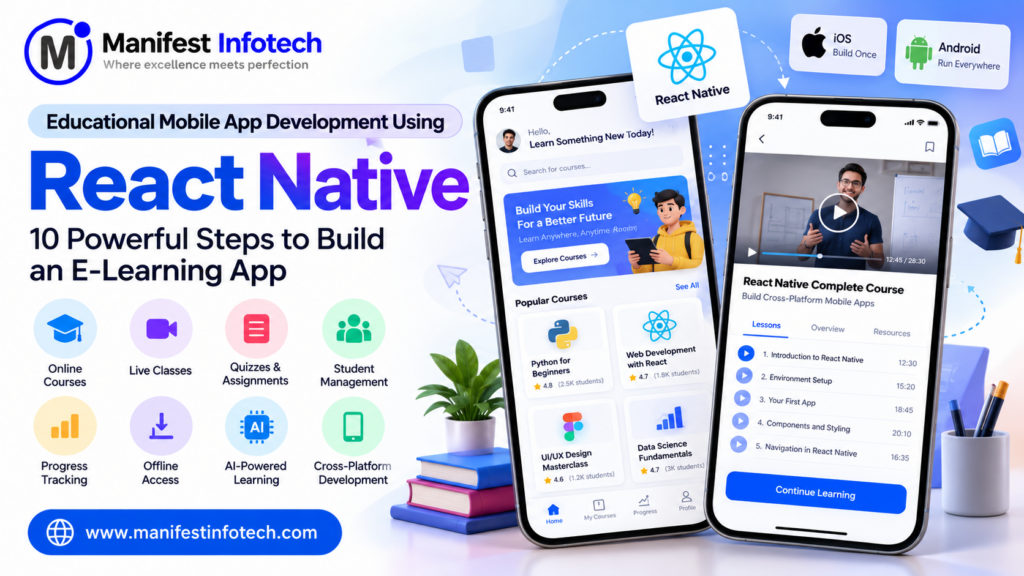
Educational Mobile App Development Using React Native: 10 Powerful Steps to Build an E-Learning App
The education industry is experiencing a major digital transformation. Students no longer depend entirely on traditional classrooms, textbooks, and physical learning environments. With smartphones and internet connectivity becoming increasingly accessible, educational mobile applications are changing how people learn, teach, and access educational resources.
From online courses and virtual classrooms to live classes, interactive quizzes, and AI-powered learning assistants, mobile applications are making education more accessible and flexible.
For businesses, educational institutions, and EdTech startups, this transformation creates an opportunity to develop innovative digital learning solutions.
React Native has become a popular technology for educational mobile app development because it allows developers to build applications for Android and iOS using a shared JavaScript and React-based codebase.
But how do you build an educational mobile app using React Native? Which features should you include? What technologies are required? How much does development cost?
In this guide, we will explore the complete process of educational mobile app development using React Native, including essential features, technology selection, development steps, costs, challenges, and future trends.
What Is an Educational Mobile App?
An educational mobile app is a software application designed to help students, teachers, educational institutions, and organizations deliver or access learning content through mobile devices.
These applications provide digital learning experiences through videos, recorded lectures, live classes, quizzes, assignments, study materials, and interactive learning activities.
Educational applications can serve different purposes depending on their target audience.
Common types include:
- E-Learning Applications: Platforms that provide online courses, recorded lectures, and learning materials.
- School Management Applications: Applications that connect students, teachers, parents, and school administrators.
- Online Tutoring Applications: Platforms that facilitate live classes and one-to-one tutoring.
- Language Learning Applications: Apps that help users learn new languages through interactive lessons.
- Exam Preparation Applications: Platforms offering mock tests, quizzes, practice questions, and performance tracking.
- Corporate Training Applications: Applications designed to train employees and monitor their learning progress.
The right application type depends on your business model, target audience, and learning objectives.
Why Choose React Native for Educational Mobile App Development?
React Native is an open-source framework developed by Meta that enables developers to create Android and iOS applications using React and JavaScript or TypeScript.
It is a strong option for educational applications because many learning platforms need to support multiple mobile platforms without maintaining completely separate application codebases.
Here are some important advantages.
1. Cross-Platform Development
One of the biggest advantages of React Native is cross-platform development.
Developers can reuse a significant portion of the application code across Android and iOS.
This can reduce development effort and simplify application maintenance.
2. Faster Development Process
React Native supports reusable components, a large ecosystem, and development tools that help teams build mobile applications efficiently.
Features such as login screens, dashboards, course cards, and learning progress components can be reused throughout the application.
3. Cost-Effective Development
Building separate native applications for Android and iOS can require additional development resources.
React Native allows businesses to share much of their application logic and UI code, potentially reducing overall development costs.
However, some platform-specific development may still be necessary.
4. Rich User Interface
Educational applications require simple and engaging interfaces.
React Native supports flexible UI components, animations, navigation libraries, and third-party integrations that help developers create interactive learning experiences.
5. Third-Party Integrations
React Native applications can integrate with different services, including:
- Payment gateways.
- Video streaming services.
- Push notification providers.
- Authentication services.
- Analytics tools.
- Cloud storage.
- AI-powered APIs.
These integrations make it easier to build feature-rich educational applications.
6. Easier Maintenance and Updates
A shared codebase can simplify updates, bug fixes, and feature improvements across platforms.
This is particularly useful for EdTech businesses that continuously introduce new learning features.
10 Essential Features of an Educational Mobile App
A successful educational application should offer more than just video lectures and study materials.
It should provide a complete learning experience for students, teachers, and administrators.
Here are 10 important features to consider.
1. User Registration and Authentication
Every educational application needs a secure registration and login system.
Users should be able to create accounts using email addresses, phone numbers, or supported social login providers.
Important functionality includes:
- Email and mobile number registration.
- Secure login and logout.
- Password recovery.
- OTP verification.
- Social authentication.
- Role-based access.
You can also create separate user roles for students, teachers, instructors, and administrators.
2. Student Dashboard
A personalized dashboard helps students access important learning activities from one place.
The dashboard may display:
- Enrolled courses.
- Recently accessed lessons.
- Learning progress.
- Upcoming classes.
- Pending assignments.
- Examination schedules.
- Certificates and achievements.
A well-designed dashboard improves navigation and helps students stay organized.
3. Course and Content Management
Course management is one of the core features of an educational mobile application.
Administrators and instructors should be able to create, update, and organize educational content.
Useful features include:
- Course categories.
- Video lessons.
- PDF study materials.
- Downloadable resources.
- Lesson descriptions.
- Course duration.
- Instructor information.
- Course pricing.
Content should be structured into courses, modules, chapters, and lessons for easier navigation.
4. Live Classes and Video Streaming
Live classes allow teachers and students to interact in real time.
You can integrate third-party video communication services or develop custom streaming functionality depending on the application’s requirements.
Useful features include:
- Live video classes.
- Audio and video controls.
- Screen sharing.
- Interactive chat.
- Class scheduling.
- Attendance tracking.
- Session recordings.
For a large-scale learning application, consider video infrastructure, bandwidth, and streaming costs before selecting a provider.
5. Online Exams and Interactive Quizzes
Assessments help students evaluate their understanding of different subjects.
An educational mobile app can provide:
- Multiple-choice questions.
- True or false questions.
- Timed quizzes.
- Mock examinations.
- Instant scoring.
- Answer explanations.
- Performance reports.
For advanced platforms, you can also integrate a dedicated online examination system.
6. Push Notifications and Reminders
Push notifications help students stay updated about important activities.
Examples include:
- Upcoming live classes.
- New course announcements.
- Assignment deadlines.
- Examination reminders.
- New learning materials.
- Payment confirmations.
Firebase Cloud Messaging (FCM) is one option for implementing push notifications.
7. Assignment Submission
Assignment management allows students to submit academic work digitally.
Students can upload documents, images, PDFs, and other supported files.
Teachers should be able to review submissions, provide feedback, and assign grades.
8. Payment Gateway Integration
If your application offers paid courses or subscriptions, payment integration is essential.
Payment functionality may include:
- Course purchases.
- Monthly subscriptions.
- Annual membership plans.
- Payment history.
- Digital invoices.
- Refund management.
Select a payment gateway according to your target markets, currencies, and business requirements.
9. Progress Tracking and Analytics
Learning analytics help students and instructors understand academic performance.
Useful metrics include:
- Course completion percentage.
- Time spent learning.
- Quiz scores.
- Assignment performance.
- Learning streaks.
- Course engagement.
Administrators can use these insights to improve course quality and student engagement.
10. Offline Learning and Content Downloads
Internet connectivity may not always be reliable.
Offline learning allows students to download selected study materials and access them without an active internet connection.
Consider providing:
- Downloadable PDFs.
- Saved lessons.
- Offline notes.
- Downloaded video content where licensing permits.
- Automatic synchronization when connectivity returns.
Secure offline storage and content access controls are important when providing paid educational content.
Step-by-Step Process to Build an Educational Mobile App Using React Native
Developing a successful educational mobile application requires a clear development strategy.
Here are the 10 major steps involved.
Step 1: Identify Your Business Idea and Target Audience
Start by identifying the problem your educational application will solve.
Determine whether your platform is designed for schools, colleges, universities, online tutors, EdTech startups, or corporate training organizations.
Understand your target audience by researching:
- Age groups.
- Learning requirements.
- Preferred devices.
- Internet connectivity.
- Learning habits.
- Expected application features.
For example, an exam preparation application may focus on mock tests and performance analytics, while a language learning application may prioritize interactive exercises and pronunciation practice.
Step 2: Conduct Market Research and Competitor Analysis
Before starting development, research existing educational applications.
Study popular learning platforms such as:
- Coursera.
- Udemy.
- Duolingo.
- Khan Academy.
- BYJU’S.
Analyze their user experience, course structures, pricing models, features, and customer feedback.
The objective is not to copy existing applications but to identify market opportunities and develop a unique value proposition.
Step 3: Define the MVP Features
An MVP (Minimum Viable Product) is the first version of an application containing only the essential features required to deliver its core value.
Instead of building every advanced feature initially, start with:
- User registration and login.
- Student dashboard.
- Course listing.
- Video lessons.
- Basic quizzes.
- Learning progress tracking.
- Admin dashboard.
Once the application receives feedback from actual users, you can introduce live classes, AI-based recommendations, advanced analytics, and other features.
Step 4: Create UI/UX Designs
The user interface directly influences the learning experience.
Create separate interfaces for students, instructors, and administrators.
Important design considerations include:
- Simple navigation.
- Readable typography.
- Consistent colors.
- Responsive layouts.
- Accessible components.
- Clear learning progress indicators.
- Easy access to lessons and assessments.
Use wireframes and interactive prototypes to test the application flow before beginning development.
Popular design tools include Figma and Adobe XD.
Step 5: Select the Technology Stack
Selecting the right technology stack is essential for building a reliable educational mobile application.
Here is a recommended technology stack.
| Development Layer | Recommended Technology |
|---|---|
| Mobile Application | React Native |
| Programming Language | JavaScript / TypeScript |
| Backend | Node.js and Express.js |
| Database | PostgreSQL / MongoDB |
| Authentication | Firebase Auth / JWT |
| API Communication | REST API / GraphQL |
| Real-Time Communication | Socket.IO / WebSockets |
| Push Notifications | Firebase Cloud Messaging |
| Video Integration | WebRTC / Third-Party SDK |
| Cloud Hosting | AWS / Google Cloud |
| File Storage | AWS S3 |
| Testing | Jest / React Native Testing Library / Detox |
| Deployment | CI/CD / Expo EAS |
The final stack should be selected according to your application requirements, expected user base, and development budget.
Step 6: Set Up the React Native Development Environment
After selecting the technology stack, configure the development environment.
React Native applications can be developed using Expo or React Native Community CLI.
For many new projects, Expo provides a convenient development experience.
Basic setup using Expo:
# Install Node.js first

# Create a React Native application
npx create-expo-app@latest EduApp

# Navigate into the project
cd EduApp

# Start the development server
npx expo start
You can run the application on a supported Android or iOS device using the Expo development workflow.
For projects requiring custom native integrations, you may need a development build or a native project configuration.
Step 7: Develop the Frontend Application
The frontend is the part of the application that users interact with.
Develop reusable React Native components for:
- Login and registration.
- Student dashboard.
- Course listing.
- Course details.
- Video player.
- Quiz interface.
- Profile management.
- Notifications.
- Progress tracking.
Organize the project into reusable components, screens, navigation, services, and state management modules.
Popular libraries include React Navigation, Redux Toolkit, and TanStack Query.
Step 8: Develop Backend APIs and Database
The backend manages application data, business logic, authentication, and communication between the mobile application and database.
Using Node.js and Express.js, you can develop APIs for:
- User registration and authentication.
- Course management.
- Lesson management.
- Student enrollment.
- Assignment submission.
- Quiz management.
- Payment processing.
- Learning progress.
- Notifications.
Example API endpoints:
POST   /api/auth/register
POST   /api/auth/login
GET    /api/courses
GET    /api/courses/:id
POST   /api/enrollments
GET    /api/students/progress
POST   /api/quizzes/submit
Use proper authentication, authorization, validation, and error handling for all important API operations.
Step 9: Integrate Third-Party Services
Third-party integrations help expand application functionality without building every service from scratch.
Common integrations include:
- Firebase for push notifications.
- Payment gateways for course purchases.
- Video SDKs for live classes.
- Cloud storage for educational materials.
- Analytics services for tracking application usage.
- AI APIs for learning recommendations or educational assistance.
Choose integrations based on actual business needs and evaluate their pricing, privacy policies, and technical limitations.
Step 10: Test, Deploy, and Maintain the Application
Before launching the application, conduct complete testing.
Important testing activities include:
Functional Testing: Verify registration, login, course enrollment, lessons, quizzes, and payment functionality.
UI Testing: Check screen layouts, navigation, responsiveness, and accessibility.
Performance Testing: Evaluate loading times, video playback, API response times, and application performance.
Compatibility Testing: Test across supported Android and iOS devices and operating system versions.
Security Testing: Check authentication, authorization, data protection, and API security.
User Acceptance Testing: Allow actual students and instructors to test the application before public release.
After successful testing, publish the application through the Google Play Store and Apple App Store, following their respective requirements.
Regular updates, bug fixes, security improvements, and performance monitoring are essential after launch.
How Much Does It Cost to Develop an Educational Mobile App?
The cost of educational mobile app development using React Native depends on the application features, complexity, UI/UX requirements, backend architecture, third-party integrations, and development team.
Below are illustrative development estimates for the Indian market.
| Application Type | Estimated Development Cost |
|---|---|
| Basic Educational App | ₹2 lakh – ₹5 lakh |
| Medium-Level E-Learning App | ₹5 lakh – ₹10 lakh |
| Advanced Educational App | ₹10 lakh – ₹20 lakh |
| Enterprise-Level EdTech Platform | ₹20 lakh – ₹40 lakh+ |
These figures are indicative planning estimates, not fixed quotations. Actual costs depend on the project scope and technical requirements.
Factors That Affect Development Cost
1. Application Features: Live classes, AI integration, advanced analytics, and offline learning increase development effort.
2. UI/UX Design: Custom interfaces, animations, and personalized dashboards influence design costs.
3. Backend Development: Complex APIs, database architecture, and integrations require additional development resources.
4. Third-Party Services: Video streaming, cloud storage, payment gateways, and notification services may involve recurring fees.
5. Security Requirements: Applications handling student information and payments need appropriate security controls.
6. Maintenance: Hosting, monitoring, upgrades, and technical support contribute to ongoing costs.
A practical approach is to launch an MVP first and expand the platform as the business grows.
Challenges in Educational Mobile App Development
Building an educational mobile application involves several technical and operational challenges.
1. Maintaining Application Performance
Applications with large video libraries, interactive lessons, and thousands of users may experience performance issues.
Solution: Optimize API calls, use caching, implement pagination, optimize media delivery, and monitor application performance.
2. Managing Video Streaming
Video-based learning requires reliable content delivery and smooth playback.
Solution: Use suitable video hosting and content delivery networks, adaptive streaming, and optimized media formats.
3. Protecting Student Information
Educational applications may collect personal details, academic records, and payment information.
Solution: Use secure authentication, encryption, access controls, data minimization, and regular security assessments.
4. Supporting Multiple Devices
Students may access applications using different smartphones, tablets, and operating system versions.
Solution: Perform cross-device testing and create flexible layouts that work across supported screen sizes.
5. Maintaining Student Engagement
Students may stop using an application if the learning experience is difficult or uninteresting.
Solution: Introduce progress tracking, learning reminders, achievements, interactive quizzes, and personalized learning experiences.
6. Handling Offline Learning
Students may experience unreliable internet connectivity.
Solution: Implement controlled offline content access, local storage, and synchronization mechanisms.
Future Trends in Educational Mobile App Development
The EdTech industry continues to evolve as new technologies improve digital learning.
Here are some important trends to consider when planning your educational application.
Artificial Intelligence in Education
AI can help create personalized learning recommendations, educational chatbots, automated feedback, and intelligent tutoring experiences.
Personalized Learning
Learning platforms can use student progress and assessment results to recommend suitable courses and learning materials.
Gamification
Points, badges, learning streaks, and achievement systems can make educational applications more engaging.
Augmented Reality and Virtual Reality
AR and VR can support interactive learning experiences, particularly in science, engineering, medicine, and technical education.
Microlearning
Microlearning delivers educational content through short lessons, making it easier for students to learn in smaller sessions.
AI-Powered Educational Assistants
AI assistants can help students understand concepts, generate practice questions, and receive explanations based on educational content.
These capabilities should be implemented with appropriate accuracy checks, privacy controls, and educational oversight.
Why Choose Manifest Infotech for Educational Mobile App Development?
Building a successful educational mobile application requires the right combination of technology, development expertise, and business understanding.
Manifest Infotech helps businesses transform their software ideas into practical digital solutions through custom software and application development.
Whether you are an EdTech startup, school, university, coaching institute, or entrepreneur, developing a customized educational application can help you deliver better digital learning experiences.
With a well-planned development approach, your educational application can include:
- Custom React Native mobile app development.
- Android and iOS application development.
- User-friendly UI/UX design.
- Secure backend an
#React Native App Development,
#Educational Mobile App Development,
#E-Learning App Development,
#Education App Development,
#EdTech App Development,
#React Native Development,
#Mobile App Development,
#Online Learning Platform,
#Educational Technology,
#Custom Mobile App Development