
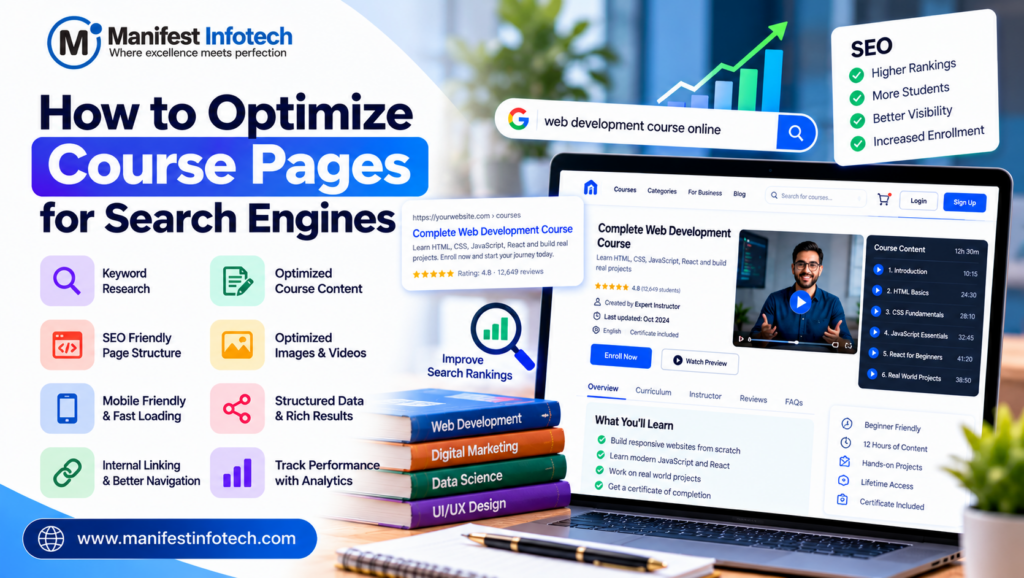
Optimize Course Pages
Online education is growing rapidly, and learners increasingly use search engines to discover courses, develop new skills, and advance their careers. For educational institutions, online learning platforms, and EdTech businesses, appearing in search results can help attract more potential students.
However, simply publishing a course page is not enough. To improve visibility, your website needs relevant content, a clear structure, fast loading speeds, and a user-friendly experience.
In this guide, Manifest Infotech explains how to optimize course pages for search engines and attract more organic traffic.
What Is Course Page SEO?
Course page SEO is the process of optimizing individual course pages so search engines can understand their content and show them to relevant users.
For example, if you offer a web development course, your page should clearly explain what students will learn, who the course is for, and what skills they can gain.
Effective course page SEO helps search engines understand your content while helping prospective students decide whether your course meets their needs.
1. Conduct Keyword Research
Keyword research is the foundation of course page optimization. It helps you understand what potential students search for when looking for educational programs.
Start by identifying relevant search terms, such as:
- Online web development course
- Beginner Python programming course
- Digital marketing certification course
- Data science course for beginners
- Full-stack development training
Choose keywords that match your course content and the search intent of your target audience.
Best practices:
- Use relevant keywords naturally in page titles and headings.
- Include related terms where they help explain the course.
- Avoid repeating the same keyword unnaturally.
- Research questions students commonly ask.
- Analyze competing course pages to identify useful content opportunities.
Tools such as Google Keyword Planner and Google Search Console can help you research keywords and understand search performance.
2. Write an SEO-Friendly Course Title
Your course title is one of the first things potential students notice.
A clear title helps users understand the subject and gives search engines useful context.
For example:
Weak title: Programming Course
Better title: Python Programming Course for Beginners
The improved title describes the subject and target audience more clearly.
Keep course titles specific, accurate, and easy to understand. Avoid adding keywords that do not reflect the actual course content.
3. Create Unique and Useful Course Descriptions
A well-written course description helps students understand the value of your program.
Explain what the course covers, which skills learners can develop, and what they should know before enrolling.
A useful course description should include:
- Course overview
- Learning objectives
- Topics covered
- Required skills or prerequisites
- Course duration and format
- Instructor information
- Projects or practical exercises
- Assessment and certification details, where applicable
Avoid copying descriptions from other websites. Original, helpful content makes your page more useful to prospective students.
Focus on answering real student questions rather than writing content solely to include keywords.
4. Optimize Meta Titles and Meta Descriptions
The title tag helps search engines understand a page’s subject and can appear as the clickable headline in search results.
A meta description provides a short summary that may be used as the search-result snippet.
For example:
Meta Title: Python Programming Course for Beginners | Manifest Infotech
Meta Description: Learn Python programming from the basics with practical lessons, coding exercises, and projects designed for beginners.
Write unique titles and descriptions for important course pages. Keep them relevant to the actual content and avoid misleading promises.
Google may generate a different title or description in search results, so these elements can influence presentation but do not guarantee a particular ranking or snippet.
5. Use a Clear Heading Structure
Headings organize information and make course pages easier to scan.
Use one clear main heading for the course title, followed by descriptive subheadings for important sections.
For example:
- H1: Python Programming Course for Beginners
- H2: What You Will Learn
- H2: Course Curriculum
- H2: Who Should Enroll?
- H2: Course Requirements
- H2: Instructor Information
- H2: Frequently Asked Questions
A logical heading structure helps users navigate the page and provides context about its content.
6. Optimize Course Images and Videos
Visual content can make course pages more engaging, but large media files can slow down your website.
Follow these image optimization practices:
- Use descriptive file names.
- Add meaningful alternative text to informative images.
- Compress images before uploading them.
- Use modern formats such as WebP or AVIF where appropriate.
- Provide responsive image sizes for different devices.
- Avoid using large images when smaller versions are sufficient.
For course videos, provide a useful title and description. Include captions or transcripts where practical so learners can access the content in different ways.
Ensure that important course information is available as readable page content rather than relying entirely on images or videos.
7. Improve Website Speed and Mobile Experience
Many students browse courses using smartphones, so your course pages should work well on smaller screens.
A slow or difficult-to-use website may discourage visitors from exploring your courses or completing enrollment.
To improve performance:
- Optimize images and other media.
- Minimize unnecessary JavaScript and CSS.
- Use browser caching where appropriate.
- Reduce unnecessary third-party scripts.
- Choose reliable hosting.
- Test pages on mobile devices.
- Monitor Core Web Vitals and real-user performance data.
Google’s Core Web Vitals measure aspects of loading performance, responsiveness, and visual stability.
Use tools such as Google PageSpeed Insights to identify performance problems and prioritize improvements.
8. Add Internal Links to Relevant Pages
Internal links connect your course pages with other useful content on your website.
For example, a Python course page could link to:
- A beginner’s guide to Python
- Related programming courses
- A blog about career opportunities in software development
- Instructor profiles
- Course registration information
Use descriptive anchor text so visitors understand what they will find after clicking.
Internal linking can help users discover related content and help search engines find and understand pages on your website.
9. Use Structured Data Where Appropriate
Structured data is a standardized format that helps search engines interpret information on a web page.
Depending on the content and applicable search features, an educational website may use relevant structured data to describe courses, organizations, breadcrumbs, or other supported information.
When implementing structured data:
- Select a schema type that accurately represents the page.
- Include only information visible to users and supported by the content.
- Follow Google’s current technical guidelines.
- Validate the markup using appropriate testing tools.
- Keep structured data updated when course details change.
Important: Adding structured data does not guarantee enhanced search results. Google decides whether eligible pages receive special search-result presentations.
Do not use unsupported or misleading markup to try to improve rankings.
10. Create Helpful Course FAQs
Prospective students often have questions before enrolling.
A frequently asked questions section can help explain course requirements and reduce uncertainty.
Consider answering questions such as:
- Is this course suitable for beginners?
- What skills will I learn?
- How long does the course take?
- Are practical projects included?
- Do I need prior experience?
- How can I enroll?
- Is a certificate provided?
Keep answers accurate and specific to the course.
FAQ content can improve the user experience, but adding it does not guarantee a special FAQ result in Google Search.
11. Keep Course Information Accurate and Updated
Outdated information can damage trust and lead to a poor user experience.
Review your course pages regularly to ensure that:
- Course fees are correct.
- Enrollment links work.
- Course availability is up to date.
- Curriculum details reflect the current program.
- Instructor information is accurate.
- Dates and schedules are current.
- Certificates and learning outcomes are described honestly.
If a course is discontinued, decide whether the page should be updated, redirected to a relevant alternative, or removed based on its usefulness and search value.
Avoid leaving broken pages or misleading enrollment information online.
12. Track SEO Performance with Google Search Console
SEO improvements should be measured over time.
Google Search Console helps website owners understand how their pages perform in Google Search.
Monitor important metrics such as:
- Search impressions
- Organic clicks
- Click-through rate
- Average search position
- Search queries
- Indexing issues
Identify course pages that receive impressions but relatively few clicks. Improving their titles or descriptions may make them more appealing to relevant searchers.
Also investigate pages that are not indexed or that experience technical errors.
Remember that rankings and traffic can change for many reasons. Evaluate performance over time instead of judging success from a single day of data.
Common Course SEO Mistakes to Avoid
Avoid these mistakes when optimizing educational websites:
Duplicate content: Copying the same description across multiple courses makes pages less useful and harder to distinguish.
Keyword stuffing: Repeating keywords unnaturally can reduce readability and may violate search engine spam policies.
Slow page loading: Large media files and unnecessary scripts can create a frustrating user experience.
Missing mobile optimization: Pages that are difficult to navigate on smartphones can discourage prospective students.
Misleading information: Exaggerated claims about certificates, salaries, or learning outcomes can damage trust.
Broken enrollment links: Students should be able to move easily from course discovery to registration.
Ignoring analytics: Without performance data, it is harder to identify which pages need improvement.
Conclusion
Optimizing course pages for search engines requires a combination of relevant keywords, helpful content, clear headings, technical performance, internal linking, and accurate course information.
Start by improving your most important course pages. Make the content useful to prospective students, ensure that the website works well on mobile devices, and use analytics tools to measure progress.
Consistent optimization can help educational businesses improve their search visibility, attract relevant visitors, and create a better experience for potential learners.
Want to improve your educational website? Contact Manifest Infotech to discuss your website development and digital performance requirements.