
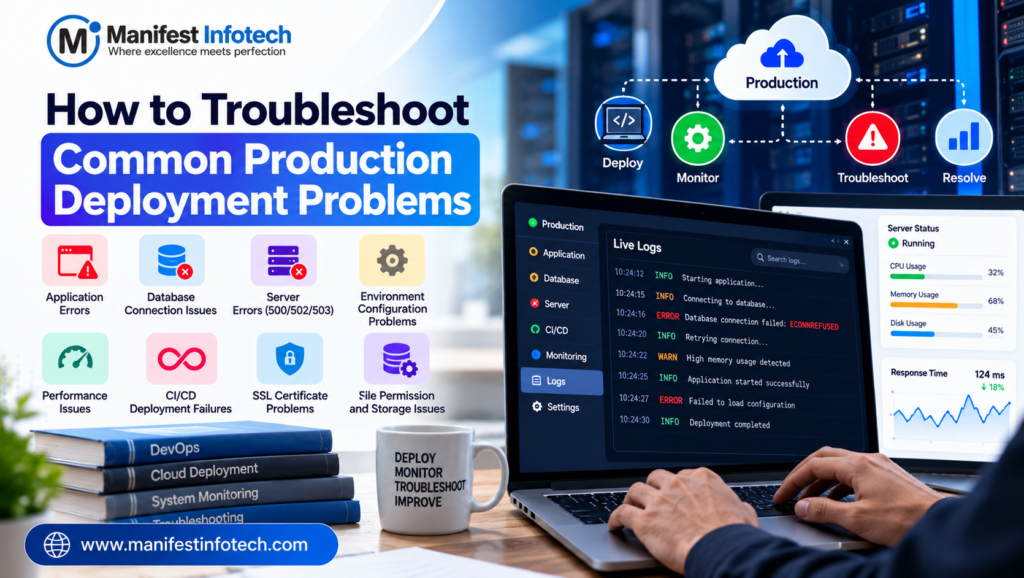
Production Deployment Problems
Deploying an application to production is a critical step in software development. However, even after successful development and testing, applications can experience unexpected problems when deployed to a live environment.
Common issues include failed deployments, server errors, database connection failures, configuration problems, slow performance, and application downtime. These problems can affect user experience, business operations, and customer trust.
Understanding how to identify and resolve production deployment issues helps development teams maintain reliable applications and reduce downtime.
In this guide, we will explore common production deployment problems, their causes, and practical troubleshooting techniques.
What Is Production Deployment?
Production deployment is the process of releasing an application into a live environment where real users can access it.
A production environment typically includes application servers, databases, networking, security configurations, monitoring tools, and external services.
Unlike development environments, production systems must handle real traffic, protect sensitive information, and maintain availability.
1. Application Fails to Start After Deployment
One of the most common deployment problems is an application that fails to start or crashes immediately after release.
Common Causes
- Missing environment variables
- Incorrect application configuration
- Missing dependencies
- Incorrect startup commands
- Incompatible runtime versions
- Port conflicts
How to Troubleshoot
Step 1: Check application logs to identify startup errors.
Step 2: Verify that required environment variables and configuration files are present.
Step 3: Confirm that dependencies are installed and compatible with the deployed runtime.
Step 4: Check the configured startup command and application port.
For example, a Node.js application may fail if its expected environment variables are missing or its production start command is incorrect.
Avoid displaying secrets in logs when investigating configuration problems.
2. Database Connection Failures
Applications often depend on databases such as PostgreSQL, MySQL, or MongoDB. If the application cannot connect to its database, important features may stop working.
Common Causes
- Incorrect database credentials
- Wrong hostname or port
- Database server unavailable
- Firewall restrictions
- Incorrect network permissions
- Connection pool exhaustion
- TLS configuration problems
How to Troubleshoot
- Verify the database hostname, port, and database name.
- Confirm that credentials are valid.
- Check whether the database server is running.
- Verify network connectivity and firewall rules.
- Review database logs and connection pool metrics.
- Confirm that the deployed application uses the correct environment configuration.
For PostgreSQL, connection errors may also occur when the server’s authentication rules do not permit connections from the application’s host.
Best practice: Store credentials securely and use a managed secrets solution or protected environment variables rather than hardcoding them into source code.
3. HTTP 500, 502, and 503 Errors
HTTP server errors often indicate problems in the application, reverse proxy, or infrastructure.
- 500 Internal Server Error: The application encountered an unexpected error.
- 502 Bad Gateway: A gateway or proxy received an invalid response from an upstream server.
- 503 Service Unavailable: The service is temporarily unable to handle requests, possibly because it is overloaded or unavailable.
How to Troubleshoot
Start by identifying which component returns the error.
Check application logs, web server logs, reverse proxy logs, and infrastructure monitoring.
For a 502 error, verify that the application process is running and that the proxy points to the correct upstream address and port.
For a 503 error, check service health, resource availability, load balancer configuration, and whether the application is ready to accept traffic.
Use the error timestamp and request ID, where available, to connect related log entries.
4. Environment Configuration Problems
An application may work correctly on a developer’s computer but fail in production because the environments differ.
For example, the development environment may use a local database, while production uses a managed database service.
Common Causes
- Missing environment variables
- Incorrect API endpoints
- Different runtime versions
- Incorrect file paths
- Missing production configuration
- Different security or permission settings
How to Troubleshoot
Compare the expected configuration with the deployed environment.
Verify API URLs, database settings, runtime versions, feature flags, and required permissions.
Use separate configuration for development, testing, staging, and production.
Never commit passwords, API keys, private certificates, or other secrets to a public source-code repository.
5. Slow Application Performance
An application may function correctly after deployment but respond slowly under real-world traffic.
Common Causes
- Inefficient database queries
- Missing database indexes
- Excessive API requests
- Large images or assets
- Memory or CPU constraints
- Slow third-party services
- Poor caching strategies
How to Troubleshoot
Measure performance before making changes.
Check API response times, database query performance, CPU and memory usage, network latency, and external service dependencies.
Use application performance monitoring tools to identify slow transactions.
Optimize expensive database queries, compress and resize images, reduce unnecessary network requests, and introduce caching where appropriate.
Avoid scaling infrastructure before understanding the bottleneck. Adding resources may help, but it will not necessarily fix inefficient application logic.
6. Deployment Pipeline Failures
Continuous integration and continuous deployment (CI/CD) pipelines automate building, testing, and releasing applications.
A deployment pipeline can fail because of test failures, dependency problems, missing permissions, or incorrect deployment configuration.
How to Troubleshoot
- Identify the pipeline stage that failed.
- Review the build and deployment logs.
- Confirm that dependencies can be installed.
- Check test results and build artifacts.
- Verify deployment credentials and permissions.
- Confirm that the target environment is configured correctly.
Use reproducible builds and automated tests to reduce deployment errors.
Where possible, deploy to a staging environment before releasing changes to production.
7. SSL Certificate and HTTPS Problems
SSL/TLS configuration problems can cause browser warnings, failed API requests, or insecure connections.
Common Causes
- Expired certificates
- Incorrect certificate configuration
- Missing intermediate certificates
- Domain name mismatches
- Incorrect reverse proxy settings
- Incorrect HTTPS redirection
How to Troubleshoot
Verify that the certificate is valid for the requested domain and has not expired.
Check the certificate chain, DNS configuration, and web server or load balancer settings.
Confirm that HTTPS redirection works correctly and that application resources are loaded securely.
Set up certificate renewal monitoring so that expiration does not cause an unexpected outage.
8. File Permission and Storage Problems
Applications may fail to read configuration files, write uploaded files, or access required directories after deployment.
Common Causes
- Incorrect file ownership
- Insufficient filesystem permissions
- Read-only filesystems
- Incorrect storage paths
- Full disks
- Missing mounted volumes
How to Troubleshoot
Check the application’s effective user, file ownership, permissions, disk capacity, and storage configuration.
Grant only the permissions the application requires.
Avoid using overly permissive settings such as chmod 777 as a general fix. These settings can expose files to unnecessary access.
For uploaded files, consider dedicated object storage rather than relying on temporary or ephemeral application directories.
9. Application Works Locally but Fails in Production
Differences between local and production environments are a frequent source of unexpected bugs.
Common Causes
- Different Node.js, Python, or other runtime versions
- Missing dependencies
- Operating system differences
- Incorrect case-sensitive file paths
- Different environment variables
- Differences in network access
How to Troubleshoot
Use a staging environment that closely resembles production.
Pin runtime and dependency versions, automate environment setup, and validate configuration during application startup.
Containerization with Docker can help standardize the application environment, although networking, secrets, permissions, and production infrastructure still require careful configuration.
10. How to Prevent Future Production Deployment Problems
Troubleshooting is important, but preventing recurring failures is even better.
Follow these deployment best practices:
Automate testing: Run unit, integration, and end-to-end tests before releasing changes.
Use CI/CD pipelines: Standardize builds and deployment steps to reduce manual mistakes.
Monitor application health: Track errors, response times, resource usage, and availability.
Maintain logs: Centralize application and infrastructure logs while protecting sensitive information.
Use staged releases: Test changes in staging and use canary or rolling deployments where appropriate.
Prepare rollback procedures: Make sure the team can safely restore a known-good release.
Back up critical data: Maintain backups and periodically test recovery procedures.
Document incidents: Record root causes, fixes, and preventive actions to improve future releases.
Conclusion
Production deployment problems can arise from application code, database connectivity, configuration, infrastructure, security, or deployment pipelines.
The most effective troubleshooting approach is to identify the affected component, inspect relevant logs and metrics, reproduce the issue where possible, and test one change at a time.
By combining automated testing, reliable deployment processes, monitoring, secure configuration, and documented rollback procedures, development teams can reduce downtime and deliver more reliable software.
Need help building, deploying, or maintaining a reliable application? Contact Manifest Infotech to discuss your software development requirements.
𝐅𝐨𝐥𝐥𝐨𝐰 𝐔𝐬:
𝐋𝐢𝐧𝐤𝐞𝐝𝐢𝐧: linkedin.com/company/manifestinfotech
𝐅𝐚𝐜𝐞𝐛𝐨𝐨𝐤: facebook.com/manifestinfotech/
𝐈𝐧𝐬𝐭𝐚𝐠𝐫𝐚𝐦: instagram.com/manifestinfotech/
𝐓𝐰𝐢𝐭𝐭𝐞𝐫: twitter.com/Manifest_info