
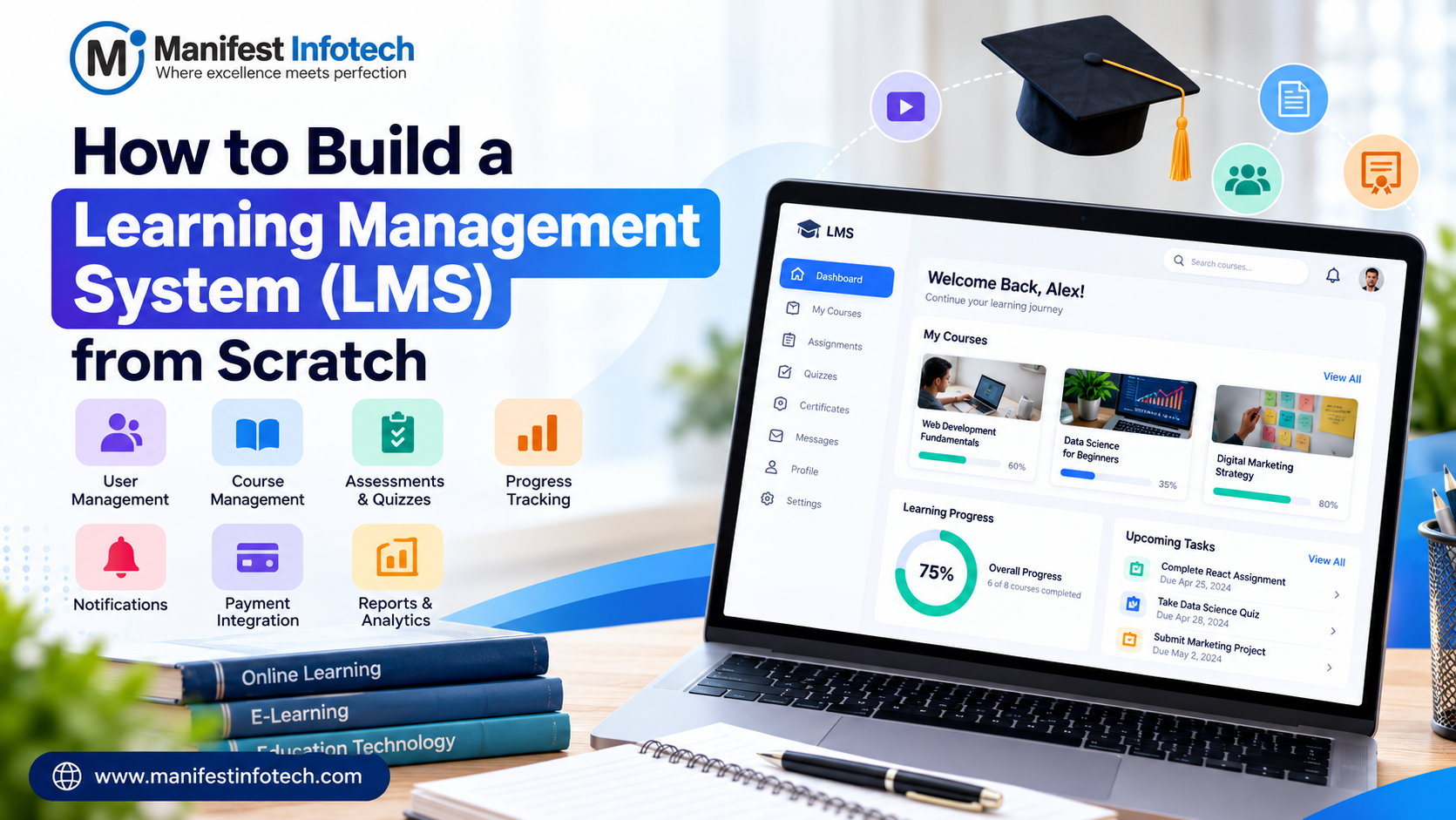
Online learning has transformed how educational institutions, businesses, and training providers deliver knowledge. From online courses and employee training to certification programs and digital academies, organizations increasingly rely on technology to make learning accessible, engaging, and measurable.
A Learning Management System (LMS) provides a centralized platform to create courses, manage learners, deliver educational content, conduct assessments, and track learning progress.
If you are planning to launch an online education business or modernize your organization’s training process, understanding how to build a learning management system is an important first step. A custom LMS allows you to design features around your business requirements, integrate your existing tools, and scale the platform as your audience grows.
In this guide, we explain the essential LMS features, recommended technologies, database design, development process, security considerations, estimated costs, and practical strategies for building a scalable e-learning platform.
What Is a Learning Management System (LMS)?
A Learning Management System is a software application used to create, organize, deliver, and manage educational or training programs through a centralized digital platform.
An LMS allows administrators and instructors to publish learning materials, enroll students, create assessments, monitor performance, and evaluate course completion.
Organizations use LMS platforms for different purposes, including:
- Educational institutions: Deliver online classes, assignments, examinations, and learning resources.
- Corporate training: Train employees, onboard new team members, and monitor compliance.
- Online education businesses: Sell courses, offer subscriptions, and manage memberships.
- Professional training providers: Deliver certification programs and assess learner competency.
- Coaching institutes: Provide recorded lessons, practice tests, study materials, and performance reports.
Why Build a Custom LMS?
Ready-made LMS solutions can be suitable for standard learning requirements. However, businesses with specialized workflows, complex integrations, or unique monetization models may benefit from custom LMS development.
A custom platform can provide:
- Greater control over the user experience and application functionality.
- Flexible course structures, learning paths, and assessment systems.
- Integration with payment gateways, CRM platforms, and third-party services.
- Custom reporting and analytics based on business objectives.
- Greater flexibility when introducing new features or business models.
- Control over branding, platform configuration, and product roadmap.
The right approach depends on your budget, technical requirements, expected user base, and long-term business goals.
Essential Features of an LMS
Before beginning LMS development, identify the features required for your initial launch. Starting with a minimum viable product (MVP) helps reduce complexity and allows you to validate the platform before investing in advanced functionality.
1. User Registration and Role Management
An LMS typically supports three primary user roles: administrators, instructors, and students.
Administrators manage the platform, instructors create and deliver courses, and students access learning materials and complete assessments.
Essential functionality includes:
- Secure registration and login.
- Password reset and account verification.
- Role-based access control.
- User profiles and account settings.
- Enrollment and account status management.
Permissions should be enforced by the backend rather than relying only on frontend visibility.
2. Course and Content Management
Course management is one of the most important components of an LMS.
Administrators and authorized instructors should be able to create courses, organize lessons, upload learning resources, and manage course availability.
Common features include:
- Course creation and editing.
- Categories, tags, and learning levels.
- Modules, lessons, and chapters.
- Video lessons and downloadable resources.
- Course descriptions, thumbnails, and prerequisites.
- Draft, published, and archived course states.
A flexible content structure makes it easier to expand the platform as new courses and learning formats are introduced.
3. Student Dashboard and Learning Experience
The student dashboard should help learners understand what to study, what they have completed, and what they need to do next.
Useful dashboard features include:
- Enrolled courses.
- Continue-learning functionality.
- Lesson completion indicators.
- Upcoming assignments and examinations.
- Quiz results and progress summaries.
- Certificates and course completion records.
A responsive interface is important because learners may access courses using desktops, tablets, and mobile devices.
4. Quizzes, Exams, and Assessments
Assessment tools help instructors measure student understanding and evaluate learning outcomes.
Depending on the platform’s requirements, assessment features may include:
- Multiple-choice and true-or-false questions.
- Short-answer and descriptive questions.
- Timed examinations.
- Question banks and randomized questions.
- Automatic scoring for supported question types.
- Manual grading and instructor feedback.
- Attempt limits and pass-score configuration.
- Examination history and performance reports.
For more advanced educational platforms, you can introduce question difficulty levels, adaptive assessments, leaderboards, and gamified learning.
5. Learning Progress Tracking
Progress tracking allows learners and administrators to understand how effectively courses are being completed.
An LMS can record:
- Lessons started and completed.
- Course completion percentages.
- Quiz scores and examination attempts.
- Time spent on learning activities, where appropriate.
- Assignment submission status.
- Certificate eligibility.
Define completion rules carefully. For example, a course may require learners to complete every mandatory lesson and achieve a minimum assessment score before receiving a certificate.
6. Notifications and Communication
Notifications help learners stay informed about important activities and deadlines.
Common notification features include:
- Course enrollment confirmations.
- Assignment and examination reminders.
- Course announcements.
- Upcoming deadline alerts.
- Password reset and account verification messages.
- Completion and certificate notifications.
Email notifications are a practical starting point. Push notifications, in-app messaging, and SMS can be added when the business requirements justify them.
7. Payment Integration and Subscriptions
If you plan to sell online courses, payment processing and access management become important parts of your LMS.
Depending on the business model, consider:
- One-time course purchases.
- Monthly or annual subscriptions.
- Membership plans.
- Coupons and promotional discounts.
- Invoices and payment history.
- Refund and cancellation workflows.
- Automatic enrollment after successful payment.
Payment gateways such as Stripe and Razorpay can support suitable payment workflows, depending on the countries and payment methods involved.
The platform should verify payments through secure server-side processing and webhooks rather than trusting a success message from the browser.
8. Reports and Analytics
Analytics help administrators evaluate the performance of courses and identify learners who may need additional support.
Useful reports include:
- Total registered and active learners.
- Enrollment and course completion rates.
- Assessment scores and pass rates.
- Course popularity and revenue, where applicable.
- Learner engagement trends.
- Instructor and course performance.
Start with reports that support real business decisions. Advanced dashboards and predictive analytics can be introduced as the platform collects sufficient reliable data.
Best Technology Stack for LMS Development
Choosing the right technology stack affects performance, maintainability, development cost, and future scalability.
For a custom LMS that requires interactive dashboards, flexible APIs, and a modern web experience, a JavaScript-based stack can be a practical option.
Recommended Technologies
Frontend: React.js or Next.js
React.js is suitable for building reusable UI components, interactive course pages, and student dashboards. Next.js can be useful when server rendering, search engine optimization, and structured public course pages are important.
Backend: Node.js and Express.js
Node.js and Express.js can handle authentication, course management, enrollment, assessment processing, notifications, and integrations through APIs.
Database: PostgreSQL
PostgreSQL is a strong choice for LMS applications that contain related records such as users, courses, enrollments, assessments, payments, and learning progress.
MongoDB can also be appropriate for certain data models. Select the database according to the application’s query patterns, relationships, consistency requirements, and team expertise.
Cloud Storage: Amazon S3
Amazon S3 can store course documents, images, downloadable resources, and other learning assets. For video-heavy platforms, a dedicated video processing and delivery service may be necessary.
Hosting and Infrastructure: AWS
AWS offers hosting, networking, storage, monitoring, and managed database services. The specific architecture should match the expected workload, reliability requirements, and operating budget.
Payment Integration: Stripe or Razorpay
A supported payment provider can handle payment collection and related transaction workflows for paid courses and subscriptions.
Example Technology Stack
| Component | Recommended technology |
|---|---|
| Frontend | React.js or Next.js |
| Backend | Node.js and Express.js |
| Database | PostgreSQL |
| Authentication | Secure sessions or token-based authentication |
| File storage | Amazon S3 |
| Hosting | AWS |
| Payments | Stripe or Razorpay |
| Notifications | Email service and in-app notifications |
| Monitoring | Application logs and error monitoring |
The technologies above are recommendations, not mandatory requirements. A successful LMS depends on the architecture and implementation as much as the technology choices.
Database Design for a Custom LMS
A well-designed database makes it easier to manage learning content, maintain accurate progress records, and generate meaningful reports.
For a relational LMS using PostgreSQL, the core database entities may include:
- Users: Account information, authentication references, and account status.
- Roles and permissions: Access rights for administrators, instructors, and learners.
- Courses: Titles, descriptions, publication status, and course metadata.
- Lessons: Learning content associated with courses or modules.
- Enrollments: Relationships between learners and courses.
- Assessments: Quiz settings, questions, and answer options.
- Attempts: Student submissions, scores, and attempt history.
- Progress records: Lesson completion and course progress.
- Payments: Transaction references, amounts, and payment status.
- Certificates: Issued certificates and their verification identifiers.
A typical relationship model connects courses to lessons, users to enrollments, and enrollments to learning progress. Assessment attempts link learners to specific assessments and preserve their results.
For paid courses, payment records should be linked to the relevant customer and purchase or enrollment records without storing sensitive card details unnecessarily.
It is also important to add appropriate indexes, enforce database constraints, maintain transaction integrity, and design migration procedures before the platform grows.
How to Build a Learning Management System Step by Step
Building an LMS involves more than developing a course interface. The process includes requirements analysis, UX design, database architecture, backend and frontend development, testing, and deployment.
Step 1: Define Your LMS Requirements
Begin by identifying the platform’s purpose and target audience.
Determine whether the LMS will support school education, employee training, professional certification, online course sales, or another learning model.
Document the essential requirements, including:
- User roles and permissions.
- Course structure and content formats.
- Enrollment and access rules.
- Assessment and grading requirements.
- Progress tracking and reporting.
- Payment and subscription requirements.
- Third-party integrations.
- Expected user volume and growth.
Separate essential launch features from enhancements that can be developed later.
Step 2: Plan the MVP
An MVP includes the smallest set of features needed to deliver a useful learning experience.
A practical first version may contain:
- User registration and login.
- Administrator and instructor dashboards.
- Course and lesson management.
- Student enrollment.
- Learning content access.
- Basic quizzes and assessments.
- Progress tracking.
- Basic notifications.
- Essential administrative reports.
If the platform sells courses, include the necessary payment and enrollment workflows in the initial scope.
Features such as live classes, mobile applications, AI-based recommendations, and advanced analytics can be evaluated after the core platform is validated.
Step 3: Design the User Interface and Experience
Create wireframes and interface designs before implementing complex features.
Plan separate workflows for administrators, instructors, and students. Each role should have a clear dashboard and straightforward navigation.
For students, prioritize easy course discovery, lesson navigation, progress visibility, and assessment completion.
For instructors, focus on course creation, content organization, grading, and learner performance.
For administrators, emphasize user management, platform configuration, access control, and reporting.
Ensure that the interface supports different screen sizes and follows appropriate accessibility practices.
Step 4: Design the Database and API Architecture
Define the database schema, entity relationships, validation rules, and API contracts.
Typical API groups include:
- Authentication and user management.
- Course and lesson management.
- Enrollment and access permissions.
- Assessments and examination attempts.
- Learning progress and completion.
- Payments and subscriptions.
- Notifications and reports.
Use consistent API responses, pagination for large lists, appropriate validation, and clear error handling.
Keep business logic separate from route handlers so that important workflows can be tested and maintained more easily.
Step 5: Develop the Backend
Implement the business logic and APIs required by the LMS.
Start with authentication, permissions, and core data models. Then develop course management, enrollment, lesson access, assessment processing, and progress tracking.
Important backend considerations include:
- Secure password hashing.
- Server-side authorization.
- Request validation and rate limiting.
- Database transactions for critical operations.
- Secure file upload handling.
- Payment webhook verification.
- Audit logs for sensitive administrative actions.
Protect course content and student records through server-side access checks. Hiding a download button in the frontend is not sufficient to prevent unauthorized access.
Step 6: Build the Frontend
Develop the student, instructor, and administrator interfaces using reusable components.
Typical pages include:
- Home and course catalog.
- Course details and enrollment.
- Student dashboard.
- Course player and lesson viewer.
- Quiz and examination interface.
- Instructor course editor.
- Administrative dashboard.
- Reports and account settings.
Connect the frontend to backend APIs and implement loading states, validation messages, empty states, and error handling.
Pay particular attention to the learning experience on mobile devices and to preserving progress when learners return to a course.
Step 7: Integrate Video and Learning Resources
Choose a content delivery approach based on the size, format, and volume of learning materials.
Documents and images can be stored in object storage. Large video libraries may require video transcoding, adaptive streaming, and a content delivery network.
For private learning content, use authenticated access or short-lived signed URLs where appropriate. Avoid exposing permanent public storage links for resources that require enrollment-based permissions.
Consider storage costs, bandwidth, video quality, accessibility captions, and content protection requirements when planning the infrastructure.
Step 8: Test the LMS
Testing should cover both the learner experience and the administrative workflows.
Important test cases include:
- Registration, login, and password recovery.
- Role and permission enforcement.
- Course creation and enrollment.
- Lesson access and progress persistence.
- Quiz scoring and examination limits.
- Payment confirmation and duplicate webhook handling.
- File upload validation.
- Mobile responsiveness and browser compatibility.
- Performance under expected concurrent usage.
- Backup and recovery procedures.
Use automated tests for critical business logic and integration workflows. Perform security testing before allowing real learners to access the platform.
Step 9: Deploy and Monitor the Platform
Deploy the application to a suitable production environment and configure its supporting services.
A production deployment should include:
- HTTPS and secure configuration management.
- Production database access controls.
- Database backups and tested restoration procedures.
- Application logging and error monitoring.
- Performance and availability monitoring.
- Database migration procedures.
- A repeatable deployment and rollback process.
Monitor real usage after launch and prioritize improvements based on learner feedback, error reports, and platform performance.
Security Best Practices for an LMS
An LMS may process personal information, assessment results, employee training records, and payment-related data. Security should be incorporated into the architecture from the beginning.
Follow these practices:
1. Secure authentication: Use established authentication methods, strong password hashing, secure session handling, and multi-factor authentication where appropriate.
2. Enforce role-based access control: Verify permissions on the backend for every protected operation, including course editing, grading, reporting, and administrative actions.
3. Protect uploaded files: Validate file types and sizes, scan uploads where appropriate, and store private resources with controlled access.
4. Secure APIs: Apply input validation, rate limiting, appropriate CORS configuration, and protection against common web vulnerabilities.
5. Protect sensitive data: Use HTTPS, restrict database access, manage secrets securely, and collect only the personal information the platform needs.
6. Secure payment workflows: Use a reputable payment provider and verify transaction status on the server. Never rely exclusively on client-side payment confirmation.
7. Maintain backups: Back up critical data regularly and test restoration procedures to reduce the risk of data loss.
8. Monitor and update: Keep dependencies and infrastructure updated, monitor suspicious activity, and maintain a process for responding to security incidents.
Review applicable privacy and data protection requirements based on the countries and types of learners your platform serves.
Advanced Features to Consider After Launch
Once the core LMS is stable, additional capabilities can improve engagement and expand the platform’s usefulness.
Gamification
Introduce points, badges, learning streaks, leaderboards, and level-based assessments to encourage participation. Ensure that gamification supports meaningful learning outcomes rather than rewarding activity alone.
Live Classes and Virtual Training
Integrate video conferencing or virtual classroom services to support live instruction, interactive sessions, and instructor-led training.
Certificates and Learning Paths
Create structured learning paths that combine multiple courses. Automatically issue certificates when learners satisfy defined completion and assessment requirements.
AI-Powered Learning Assistance
AI features can help learners navigate content, summarize approved learning materials, generate practice questions, or receive personalized recommendations.
AI-generated content and recommendations should be reviewed for accuracy, privacy, and suitability before being used in important educational decisions.
Mobile Applications
A responsive web application may be sufficient for an initial launch. Dedicated mobile applications can be considered when features such as offline learning, push notifications, or device-specific functionality become important.
How Much Does It Cost to Build an LMS?
The cost of custom LMS development depends on the feature set, design complexity, integrations, infrastructure, security requirements, and development team’s location and experience.
The following figures are illustrative planning estimates in USD, not fixed market prices or a project quotation.
| LMS type | Illustrative development budget |
|---|---|
| Basic LMS MVP | $5,000–$15,000 |
| Mid-level custom LMS | $15,000–$40,000 |
| Advanced LMS platform | $40,000–$100,000+ |
A basic MVP may include user accounts, course management, lesson delivery, quizzes, and progress tracking.
A mid-level system may add payment integration, certificates, richer reporting, and more flexible learning workflows.
An advanced platform may require live classes, complex integrations, mobile applications, sophisticated assessments, analytics, and higher availability requirements.
These ranges can vary significantly. The actual budget should be based on a defined scope, delivery milestones, and acceptance criteria.
Factors That Affect LMS Development Cost
- Feature complexity: Advanced examinations, gamification, and learning paths require additional development and testing.
- UI/UX design: Custom dashboards and specialized user experiences increase design effort.
- Third-party integrations: Payment providers, video services, CRM tools, and conferencing platforms introduce integration work and possible subscription fees.
- Infrastructure: Database hosting, storage, video delivery, bandwidth, backups, and monitoring contribute to ongoing costs.
- Security and compliance: Additional privacy, auditing, and access control requirements may increase implementation effort.
- Maintenance: Bug fixes, dependency updates, support, and new features require a continuing budget.
When evaluating estimates, distinguish initial development costs from recurring hosting, licensing, maintenance, and support expenses.
How Long Does It Take to Develop an LMS?
The development timeline depends on the project scope, team size, design requirements, and availability of integrations.
For an initial planning exercise, a basic LMS MVP might take approximately 8–12 weeks, a more feature-rich custom LMS around 3–6 months, and a complex platform 6 months or longer.
These are indicative ranges rather than guaranteed delivery dates. They assume requirements can be finalized and the team has the necessary skills and resources.
A typical development sequence includes:
- Requirements analysis and planning.
- UI/UX design and architecture.
- Backend and database development.
- Frontend implementation.
- Integrations and content workflows.
- Testing, deployment, and launch preparation.
Some activities can run in parallel. However, security reviews, integration dependencies, content preparation, and changes in requirements can affect the overall timeline.
Common Challenges in LMS Development
Planning for common challenges helps reduce rework and avoid expensive problems after launch.
Scalability: A platform that works for a small pilot may struggle when hundreds or thousands of learners access video lessons simultaneously. Test realistic usage patterns and scale infrastructure according to measured demand.
Content delivery: Large video files can increase bandwidth costs and affect playback quality. Choose suitable streaming and content delivery services.
Data consistency: Enrollment, payment, assessment, and progress records must remain accurate. Use appropriate transactions, constraints, and idempotent processing for critical workflows.
User engagement: Complicated navigation can reduce course completion. Collect feedback and improve the learning experience continuously.
Maintenance: Custom software requires ongoing updates, monitoring, and support. Plan for these responsibilities before launch.
Why Choose Manifest Infotech for LMS Development?
Building a successful Learning Management System requires more than implementing course pages. It involves understanding learning workflows, selecting an appropriate technology stack, designing a reliable architecture, and creating a user experience that supports learners and administrators.
Manifest Infotech helps businesses evaluate their software requirements and plan custom web and application development solutions using technologies such as React.js, Node.js, and PostgreSQL, where suitable for the project.
Our development approach can include:
- Requirements analysis and MVP planning.
- Custom LMS architecture and database design.
- Student, instructor, and administrator dashboards.
- Course management and assessment functionality.
- Payment and third-party API integrations.
- Cloud deployment and application maintenance.
Whether you are building an online education platform, a corporate training solution, or a subscription-based learning business, the right development strategy can help establish a strong foundation for future growth.
Discuss your requirements with Manifest Infotech to explore a suitable LMS development approach for your business.
Frequently Asked Questions About LMS Development
1. How do I build a Learning Management System from scratch?
Start by defining your target audience and essential features. Design the database and application architecture, develop the backend APIs and frontend dashboards, integrate learning content and assessments, test security and functionality, and deploy the platform with monitoring and backups.
2. Which technology stack is best for LMS development?
React.js or Next.js, Node.js, Express.js, and PostgreSQL form one practical technology stack for custom LMS development. Cloud storage, hosting, payment processing, and authentication services should be selected according to your functional and operational requirements.
3. How much does custom LMS development cost?
The cost depends on complexity, integrations, design, and infrastructure. For initial planning, a basic LMS MVP might cost $5,000–$15,000, while a more advanced platform may cost substantially more. Obtain a scoped estimate before committing to a budget.
4. Can I build an LMS using React and Node.js?
Yes. React can provide the user interface, while Node.js and Express.js handle server-side logic and APIs. A database such as PostgreSQL can store user accounts, courses, enrollments, assessments, and progress records.
5. How can an LMS generate revenue?
An LMS can generate revenue through one-time course purchases, subscriptions, memberships, corporate training contracts, certification programs, and institutional licensing. The best model depends on the target audience and the value offered.
6. How do I make an LMS scalable?
Use an architecture that supports efficient database queries, suitable caching, reliable content delivery, background processing, and performance monitoring. Scale the components that become bottlenecks based on actual traffic and workload measurements.
7. Should I build a custom LMS or use an existing platform?
An existing LMS may be more suitable when standard features meet your needs and you want to launch quickly. Custom LMS development is worth evaluating when you require specialized workflows, unique integrations, greater control over functionality, or a distinctive business model.
8. Can an LMS support mobile learning?
Yes. A responsive web application can support mobile browsers from the beginning. Native or cross-platform mobile applications can be added when offline access, push notifications, or device-specific features justify the additional investment.
Conclusion
Building a Learning Management System from scratch requires clear requirements, thoughtful database design, a suitable technology stack, secure backend development, intuitive interfaces, and reliable deployment practices.
Start with an MVP that covers course management, learner access, assessments, and progress tracking. Test the core workflows thoroughly, monitor real-world performance, and introduce advanced features as user needs become clearer.
A well-planned LMS can help educational institutions, training providers, and businesses deliver more flexible learning experiences while creating opportunities for future growth.
Planning to build a custom Learning Management System? Contact Manifest Infotech to discuss your LMS development requirements and explore the right approach for your project
𝐅𝐨𝐥𝐥𝐨𝐰 𝐔𝐬:
𝐋𝐢𝐧𝐤𝐞𝐝𝐢𝐧: linkedin.com/company/manifestinfotech
𝐅𝐚𝐜𝐞𝐛𝐨𝐨𝐤: facebook.com/manifestinfotech/
𝐈𝐧𝐬𝐭𝐚𝐠𝐫𝐚𝐦: instagram.com/manifestinfotech/
𝐓𝐰𝐢𝐭𝐭𝐞𝐫: twitter.com/Manifest_info
#LMSDevelopment #LearningManagementSystem #CustomLMSDevelopment #ElearningPlatform #ElearningDevelopment #EdTech #OnlineLearning #SoftwareDevelopment #WebDevelopment #ReactJS #NodeJS #CustomSoftwareDevelopment #DigitalLearning #EducationTechnology #ManifestInfotech