
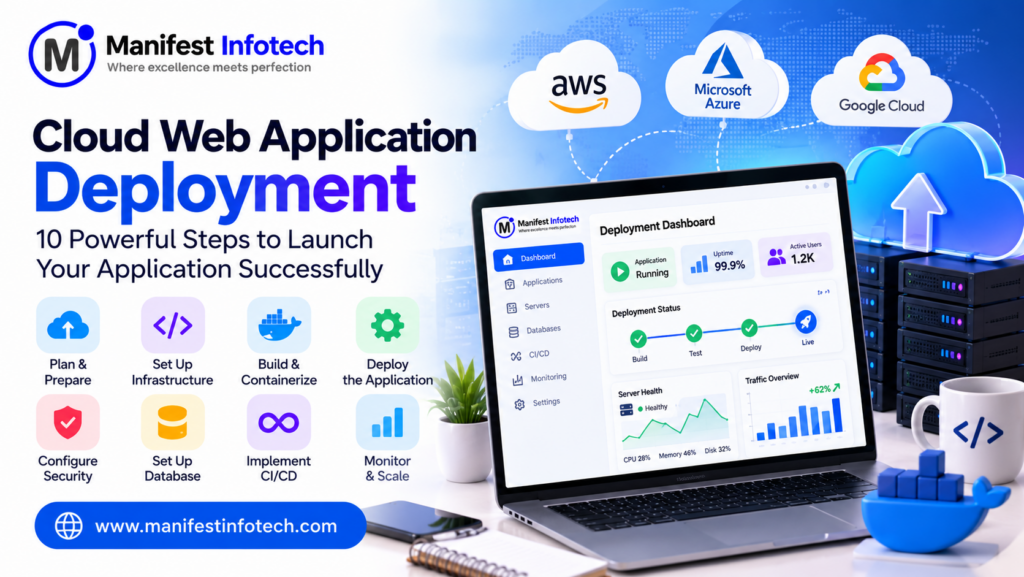
Cloud Web Application Deployment: 10 Powerful Steps to Launch Your Application Successfully
Developing a web application is only the first step toward building a successful digital product. Once development is complete, the application needs to be deployed to a reliable hosting environment where users can access it from anywhere.
Traditionally, businesses hosted applications on physical servers or shared hosting platforms. However, modern businesses increasingly use cloud computing to host applications, manage infrastructure, improve performance, and support business growth.
Cloud web application deployment allows developers and organizations to publish applications on cloud infrastructure using services provided by platforms such as Amazon Web Services (AWS), Microsoft Azure, and Google Cloud Platform (GCP).
Whether you are launching a business website, an e-commerce platform, a SaaS product, or a complex enterprise application, choosing the right cloud deployment strategy is essential.
But how do you deploy a web application to the cloud? Which cloud platform should you choose? What technologies are required? How much does cloud deployment cost?
In this complete guide, we will explain how to deploy a web application to the cloud, covering cloud platforms, deployment models, technology stacks, infrastructure setup, Docker, CI/CD, security, scalability, and estimated costs.
What Is Cloud Web Application Deployment?
Cloud web application deployment is the process of hosting and running a web application on cloud-based infrastructure instead of relying entirely on locally managed physical servers.
Cloud providers offer computing resources, databases, storage, networking, security tools, and application hosting services that developers can use to deploy and manage applications.
Once deployed, users can access the application through a domain name and an internet connection.
For example, consider a MERN stack application built using React.js, Node.js, Express.js, and MongoDB.
Instead of running it only on a developer’s computer, you can deploy its frontend, backend, and database using cloud infrastructure.
A typical cloud deployment architecture includes:
- Frontend: The user interface of the application.
- Backend: Handles business logic and API requests.
- Database: Stores application information.
- Cloud Server: Provides the computing resources required to run the application.
- Storage: Stores images, documents, and other application files.
- Domain and SSL: Allow users to access the application securely.
- Monitoring: Tracks application performance, errors, and availability.
Cloud deployment makes it possible to manage application infrastructure without purchasing and maintaining all the underlying physical hardware.
Why Should Businesses Deploy Web Applications to the Cloud?
Cloud computing has become an important part of modern software development because it provides flexibility, scalability, and access to managed infrastructure.
Here are some important benefits.
1. Scalability
One of the biggest advantages of cloud deployment is scalability.
As your application receives more users, you can increase computing resources according to demand.
For example, an e-commerce application may experience increased traffic during seasonal sales. Cloud infrastructure can be configured to handle additional workloads through horizontal or vertical scaling.
2. Cost Efficiency
Traditional server infrastructure often requires upfront investment in hardware, maintenance, and physical infrastructure.
Cloud platforms provide different pricing models, allowing businesses to pay for the resources and services they use.
However, costs must be monitored carefully because unused resources, data transfer, storage, and managed services can increase monthly expenses.
3. High Availability
Cloud providers offer infrastructure and services that help businesses design highly available applications.
Using multiple availability zones, load balancing, backups, and recovery strategies can reduce the impact of individual infrastructure failures.
High availability depends on proper architecture and configuration; it is not automatically guaranteed simply by using cloud hosting.
4. Global Accessibility
Cloud-hosted applications can be accessed from different geographical locations.
Content delivery networks (CDNs) can distribute static content through geographically distributed servers to improve loading performance for users.
5. Better Security Options
Major cloud providers offer security tools for identity management, encryption, network protection, monitoring, and access control.
Businesses can use these capabilities to strengthen application security when they are configured correctly.
6. Faster Deployment
Cloud services and deployment automation tools help developers release applications more efficiently.
Using Docker, CI/CD pipelines, and infrastructure automation, development teams can reduce repetitive manual deployment tasks.
7. Disaster Recovery and Backup
Cloud platforms provide storage and backup services that can help businesses recover application data after unexpected failures.
A properly designed backup and disaster recovery strategy reduces the risk of permanent data loss.
Popular Cloud Platforms for Web Application Deployment
Choosing the right cloud platform is an important decision.
Different platforms provide different services, pricing models, deployment options, and infrastructure capabilities.
Here are three widely used cloud providers.
1. Amazon Web Services (AWS)
AWS is one of the most widely used cloud computing platforms.
It provides a broad collection of services for hosting, deploying, scaling, and monitoring web applications.
Popular AWS services include:
- Amazon EC2: Virtual servers for running applications.
- AWS Elastic Beanstalk: Application deployment and environment management.
- Amazon S3: Object storage for images, documents, and static assets.
- Amazon RDS: Managed relational database services.
- Amazon CloudFront: Content delivery network.
- Amazon Route 53: DNS and domain routing services.
- AWS Lambda: Serverless computing.
- Amazon ECS: Container management and deployment.
- AWS CloudWatch: Application and infrastructure monitoring.
AWS is suitable for startups, growing businesses, and enterprise applications that need flexible infrastructure.
2. Microsoft Azure
Microsoft Azure is another major cloud computing platform.
It provides infrastructure and managed services for businesses building web applications, enterprise systems, and cloud-based software solutions.
Popular Azure services include:
- Azure App Service.
- Azure Virtual Machines.
- Azure SQL Database.
- Azure Blob Storage.
- Azure Functions.
- Azure Kubernetes Service.
- Azure Monitor.
- Azure Front Door.
Azure can be a suitable choice for organizations already using Microsoft technologies and enterprise infrastructure.
3. Google Cloud Platform (GCP)
Google Cloud Platform provides cloud infrastructure and managed services for application development and deployment.
Popular services include:
- Google Compute Engine.
- Google App Engine.
- Google Cloud Run.
- Google Kubernetes Engine.
- Google Cloud SQL.
- Google Cloud Storage.
- Google Cloud CDN.
- Google Cloud Monitoring.
GCP provides several options for deploying containerized, server-based, and serverless applications.
Which Cloud Platform Should You Choose?
The right cloud platform depends on your application’s requirements, team expertise, infrastructure preferences, and budget.
| Requirement | Suitable Platform |
|---|---|
| Flexible cloud infrastructure | AWS |
| Microsoft ecosystem integration | Azure |
| Containerized application deployment | AWS / Azure / GCP |
| Serverless applications | AWS Lambda / Azure Functions / Google Cloud Run |
| Enterprise applications | AWS / Azure / GCP |
| Managed web application hosting | Azure App Service / AWS Elastic Beanstalk / Google App Engine |
There is no single best cloud provider for every project. Compare service availability, pricing, security requirements, and operational complexity before making a decision.
10 Powerful Steps to Deploy a Web Application to the Cloud
Cloud deployment involves several technical activities, from preparing the application to configuring infrastructure, deploying the code, and monitoring production performance.
Here is a step-by-step deployment process.
Step 1: Prepare Your Web Application for Deployment
Before deploying an application, ensure that it is ready for a production environment.
Development applications often contain debugging configurations, local database connections, test credentials, and development-only dependencies.
These should be reviewed before deployment.
Important preparation activities include:
- Remove unnecessary development code.
- Fix known application bugs.
- Configure production environment variables.
- Verify database connections.
- Optimize frontend assets.
- Configure API endpoints.
- Check application logging.
- Review authentication and authorization.
- Ensure dependencies are up to date.
For example, a React frontend may use a different API URL in production compared with local development.
A Node.js backend should use production environment variables rather than hardcoded configuration values.
Step 2: Choose the Right Cloud Provider
Select a cloud provider based on your project requirements.
Consider:
- Application size and complexity.
- Expected number of users.
- Database requirements.
- Storage requirements.
- Geographic audience.
- Security and compliance requirements.
- Expected monthly budget.
- Team experience.
For a small application, managed application hosting may be simpler than managing a virtual server.
For applications with complex infrastructure requirements, virtual machines, containers, or Kubernetes may provide greater control.
Step 3: Configure Your Cloud Infrastructure
After choosing a cloud provider, configure the resources required to run your application.
A typical cloud infrastructure may include:
Compute Resources: Virtual machines, application services, containers, or serverless functions.
Database: A managed database or a database deployed within your infrastructure.
Storage: Object storage for images, documents, and uploaded files.
Networking: Virtual networks, subnets, firewall rules, and routing configurations.
Security: Identity permissions, access policies, encryption, and security groups.
Monitoring: Tools for collecting application logs, metrics, and alerts.
For example, an AWS-based application may use EC2 for backend hosting, S3 for file storage, RDS for a relational database, and CloudFront for content delivery.
Step 4: Set Up the Database
Most web applications require a database to store information.
Common database options include:
- PostgreSQL.
- MySQL.
- MongoDB.
- Microsoft SQL Server.
- Amazon Aurora.
You can use managed database services to reduce database administration work.
Important database deployment practices include:
- Create a production database.
- Configure secure credentials.
- Restrict database network access.
- Enable automated backups.
- Configure database monitoring.
- Apply database migrations.
- Test database connectivity.
Avoid exposing database ports directly to the public internet unless there is a specific, properly secured requirement.
The application should communicate with the database through authorized network paths.
Step 5: Configure the Domain Name and SSL Certificate
A domain name provides users with a simple way to access your application.
For example:
www.yourwebsite.com
After purchasing a domain, configure DNS records to point to the cloud hosting environment.
Common DNS records include:
- A Record: Maps a domain to an IPv4 address.
- AAAA Record: Maps a domain to an IPv6 address.
- CNAME Record: Maps one hostname to another hostname.
- MX Record: Specifies mail servers.
Next, configure an SSL/TLS certificate to enable HTTPS.
HTTPS encrypts communication between users and your application, protecting data transmitted over the network.
You can use managed certificates from your cloud provider or a certificate authority such as Let’s Encrypt.
Step 6: Deploy Your Frontend Application
The frontend is the part of the application that users interact with.
For React.js applications, you can build optimized production files before deployment.
Example:
# Install project dependencies
npm install

# Create production build
npm run build
The generated production assets can be hosted using services such as:
- AWS S3 with CloudFront.
- Azure Static Web Apps.
- Google Cloud Storage with suitable web delivery configuration.
- Other managed static hosting platforms.
For Next.js applications, deployment options may include managed Next.js hosting, Node.js application hosting, containers, or cloud-native services depending on the application’s features.
Before deployment, verify that production API URLs, environment variables, and routing configurations are correct.
Step 7: Deploy Your Backend Application
The backend handles business logic, authentication, database operations, and API requests.
For a Node.js and Express.js application, first install dependencies and verify that the application starts correctly.
Example:
# Install dependencies
npm install

# Start the application
npm start
You can deploy the backend using:
- AWS EC2.
- AWS Elastic Beanstalk.
- AWS ECS.
- Azure App Service.
- Google Cloud Run.
- Google Compute Engine.
For production environments, configure a process management strategy, health checks, logging, and restart policies.
Keep database credentials, API keys, and other sensitive information in a secure secret management service rather than directly inside your source code.
Step 8: Use Docker for Application Containerization
Docker allows developers to package applications and their dependencies into containers.
Containers provide a consistent application environment across development, testing, and production.
A basic Dockerfile for a Node.js application may look like this:
FROM node:22-alpine

WORKDIR /app

COPY package*.json ./

RUN npm ci --omit=dev

COPY . .

EXPOSE 3000

CMD ["npm", "start"]
This example assumes your project has a valid start script and a server listening on the configured port.
Build the Docker image:
docker build -t my-web-app .Run the container:
docker run -p 3000:3000 my-web-appDocker can simplify application deployment and provide a consistent runtime environment.
For larger applications, containers can be deployed using services such as Amazon ECS, Azure Container Apps, or Google Cloud Run.
Kubernetes may be useful for more complex container orchestration requirements, but it is not necessary for every application.
Step 9: Set Up CI/CD for Automated Deployment
CI/CD stands for Continuous Integration and Continuous Delivery or Deployment.
It automates the process of testing, building, and releasing application updates.
Without CI/CD, developers may need to perform multiple deployment activities manually.
A typical CI/CD workflow includes:
- Developer pushes code to GitHub.
- The pipeline starts automatically.
- Dependencies are installed.
- Automated tests are executed.
- The application is built.
- Security and quality checks are performed.
- The application is deployed to the selected environment.
- Deployment health is verified.
Popular CI/CD tools include:
- GitHub Actions.
- GitLab CI/CD.
- Jenkins.
- AWS CodePipeline.
- Azure Pipelines.
A CI/CD pipeline can reduce deployment errors, improve release consistency, and help development teams deliver updates faster.
Step 10: Test, Monitor, and Optimize the Application
Deployment is not the final step.
After publishing the application, verify that it works correctly in the production environment.
Important activities include:
Functional Testing: Verify login, registration, forms, API operations, and other application features.
Performance Testing: Check page loading times, API response times, and server performance.
Security Testing: Review authentication, permissions, HTTPS, exposed endpoints, and application vulnerabilities.
Availability Monitoring: Track server uptime, application health, and service interruptions.
Error Monitoring: Collect application errors and logs to identify production issues.
Cost Monitoring: Track cloud resource consumption and unexpected billing increases.
Popular monitoring solutions include Amazon CloudWatch, Azure Monitor, Google Cloud Monitoring, and third-party observability platforms.
Regular monitoring helps identify issues before they significantly affect users.
Understanding Different Cloud Deployment Models
Cloud applications can be deployed using different infrastructure models depending on business requirements.
1. Public Cloud
Public cloud infrastructure is provided by third-party cloud companies such as AWS, Azure, and GCP.
Businesses share the underlying provider infrastructure while maintaining separate resources and access controls.
Best suited for: Startups, SaaS applications, e-commerce websites, and growing businesses.
2. Private Cloud
A private cloud environment is dedicated to a single organization.
It provides greater control over infrastructure configuration and resource management.
Best suited for: Organizations with specific security, governance, or infrastructure requirements.
3. Hybrid Cloud
Hybrid cloud combines private infrastructure with public cloud services.
Businesses can keep certain workloads in private environments while using public cloud infrastructure for other services.
Best suited for: Large businesses with mixed infrastructure requirements.
4. Multi-Cloud
Multi-cloud refers to using services from multiple cloud providers.
For example, an organization may use AWS for application hosting and another cloud provider for analytics or specialized services.
Best suited for: Organizations with specific provider, resilience, or service requirements.
Common Cloud Deployment Strategies
Choosing a deployment strategy helps determine how application updates are released and managed.
1. Recreate Deployment
The old application version is stopped before the new version is deployed.
It is straightforward but may introduce downtime.
2. Rolling Deployment
The new version is gradually deployed across application instances while existing instances continue serving traffic.
This can help reduce downtime during releases.
3. Blue-Green Deployment
Two production environments are maintained: one serving live traffic and another hosting the new version.
Traffic is switched after the new environment has been tested.
This can simplify rollback if problems occur.
4. Canary Deployment
The new version is released to a small portion of users first.
After monitoring its performance, the release can gradually expand to more users.
This approach helps reduce the impact of potential deployment problems.
How Much Does Cloud Web Application Deployment Cost?
Cloud deployment costs depend on application complexity, computing requirements, storage, database usage, bandwidth, monitoring, and selected cloud services.
Here are illustrative planning estimates in Indian rupees.
| Application Type | Estimated Monthly Cloud Cost |
|---|---|
| Small Business Website | ₹500 – ₹3,000 |
| Basic Web Application | ₹2,000 – ₹8,000 |
| Medium-Scale Application | ₹8,000 – ₹30,000 |
| High-Traffic Application | ₹30,000 – ₹1,00,000+ |
| Enterprise Application | ₹1,00,000+ |
These are approximate budgeting ranges, not live cloud provider quotations. Actual costs can vary significantly depending on region, resource configuration, traffic, storage, data transfer, and managed services.
Factors That Affect Cloud Deployment Costs
1. Computing Resources: CPU, RAM, server instances, and container usage affect infrastructure costs.
2. Database Services: Database size, storage, backups, and processing capacity influence monthly expenses.
3. Storage: Uploaded documents, images, videos, and application backups require storage resources.
4. Bandwidth: High traffic and outgoing data transfer can increase costs.
5. CDN Usage: Content delivery services may involve additional data transfer and request charges.
6. Security Services: Firewalls, monitoring, security tools, and backup solutions may contribute to the budget.
7. Scalability Requirements: Applications that require high availability, multiple instances, or multiple availability zones may need additional infrastructure.
Businesses should use cloud pricing calculators and configure billing alerts before deploying production applications.
Common Challenges in Cloud Web Application Deployment
Although cloud deployment offers several benefits, businesses may encounter technical and operational challenges.
1. Configuration Errors
Incorrect environment variables, DNS records, application settings, and network rules can prevent an application from working correctly.
Solution: Use documented deployment procedures, configuration validation, environment-specific settings, and automated deployment pipelines.
2. Application Downtime
Poor deployment strategies or infrastructure failures can make an application temporarily unavailable.
Solution: Implement health checks, reliable deployment procedures, backups, monitoring, and appropriate high-availability architecture.
3. Security Vulnerabilities
Misconfigured servers, exposed credentials, and unrestricted access permissions can create security risks.
Solution: Apply least-privilege access, secret management, network restrictions, HTTPS, regular updates, and security assessments.
4. Unexpected Cloud Costs
Unused resources, high data transfer, oversized servers, and unnecessary services can increase cloud bills.
Solution: Monitor resource consumption, remove unused infrastructure, configure budgets, and optimize resource allocation.
5. Database Connectivity Issues
Incorrect database credentials, firewall rules, and network configurations can interrupt application connectivity.
Solution: Validate connection settings, configure secure network access, and monitor database availability.
6. Performance Problems
Applications may experience slow response times when traffic increases or resources are insufficient.
Solution: Use caching, database optimization, load balancing, CDNs, and performance testing.
7. Difficult Deployment Management
Manual deployments can create inconsistent environments and increase the risk of human error.
Solution: Use Docker, CI/CD pipelines, infrastructure as code, and automated testing.
Best Practices for Secure and Scalable Cloud Deployment
To build a reliable production environment, follow these practices:
- Use HTTPS for all public application traffic.
- Store credentials in secure secret management services.
- Apply least-privilege permissions.
- Enable database backups.
- Monitor application health and error logs.
- Use load balancing where required.
- Optimize database queries.
- Configure automated deployment pipelines.
- Keep operating systems and dependencies updated.
- Separate development, staging, and production environments.
- Use infrastructure as code for repeatable configurations.
- Establish a disaster recovery plan.
- Monitor cloud spending and resource utilization.
These practices help businesses maintain application security, availability, and operational efficiency.
Future Trends in Cloud Application Deployment
Cloud computing continues to evolve as businesses adopt modern development and infrastructure technologies.
Here are some important trends.
Artificial Intelligence and Cloud Computing
AI-powered tools are increasingly being used for application monitoring, log analysis, anomaly detection, and infrastructure optimization.
Serverless Computing
Serverless platforms allow developers to run application code without directly managing traditional servers.
Services such as AWS Lambda, Azure Functions, and Google Cloud Run support different serverless and managed execution models.
Containerization and Kubernetes
Docker and Kubernetes help development teams package, deploy, and manage containerized applications.
They are particularly useful for applications with complex deployment and scaling requirements.
DevOps and CI/CD Automation
DevOps practices help development and operations teams collaborate more efficiently.
CI/CD automation supports consistent software releases, automated testing, and faster delivery.
Edge Computing
Edge computing processes certain workloads closer to users or connected devices.
This can reduce latency for applications that require geographically distributed processing.
Infrastructure as Code
Infrastructure as Code (IaC) allows developers to define and manage cloud infrastructure using configuration files.
Tools such as Terraform and AWS CloudFormation help create repeatable and automated infrastructure environments.
Why Choose Manifest Infotech for Cloud Application Deployment?
Deploying a web application to the cloud requires more than selecting a hosting provider. It involves application architecture, infrastructure configuration, database management, security, deployment automation, and ongoing monitoring.
Manifest Infotech helps businesses transform their digital ideas into practical software solutions through custom application development and technology services.
Whether you are a startup launching your first web application, an established business migrating existing software to the cloud, or a company looking to improve its deployment process, choosing the right technical approach is important.
A cloud deployment solution can include:
- Cloud infrastructure planning and configuration.
- AWS, Azure, and Google Cloud deployment.
- Web application hosting.
- Frontend and backend deployment.
- Database configuration and migration.
- Docker-based application deployment.
- CI/CD pipeline implementation.
- Domain and SSL configuration.
- Application security and performance optimization.
- Cloud monitoring and maintenance.
The right deployment architecture should be based on your application requirements, traffic expectations, security needs, and long-term business goals.
Looking to deploy your web application to the cloud?
Connect with Manifest Infotech to discuss your project requirements and explore a suitable cloud deployment strategy.
Conclusion
Cloud web application deployment is an essential part of modern software development.
By using cloud platforms such as AWS, Azure, and Google Cloud, businesses can host applications, manage infrastructure, improve availability, and scale their digital products as requirements grow.
Successful deployment requires proper application preparation, cloud infrastructure configuration, database setup, frontend and backend deployment, security implementation, testing, and continuous monitoring.
Technologies such as Docker, CI/CD, Kubernetes, and Infrastructure as Code can further improve deployment consistency and operational efficiency.
The best approach is to select a cloud platform that matches your requirements, begin with an appropriately sized infrastructure, and scale as your application grows.
Ready to deploy your web application to the cloud? Contact Manifest Infotech and build a secure, scalable, and reliable digital solution for your business.
Frequently Asked Questions (FAQs)
1. What is cloud web application deployment?
Cloud web application deployment is the process of hosting and running a web application on cloud infrastructure so users can access it through the internet.
2. Which cloud platform is best for web application deployment?
AWS, Microsoft Azure, and Google Cloud are popular platforms. The best choice depends on application requirements, budget, infrastructure needs, and technical expertise.
3. How much does it cost to deploy a web application to the cloud?
A small application may cost approximately ₹500–₹3,000 per month, while larger applications may require ₹8,000 or more per month. Actual expenses depend on resource usage and cloud services.
4. Can I deploy a React and Node.js application to AWS?
Yes. You can host a React frontend using services such as S3 and CloudFront and deploy a Node.js backend using EC2, Elastic Beanstalk, ECS, or other suitable AWS services.
5. What is the difference between cloud hosting and traditional hosting?
Traditional hosting generally provides predefined server resources, while cloud hosting offers a broader range of configurable computing, storage, networking, and managed services that can scale according to requirements.
6. What is Docker, and why is it used in cloud deployment?
Docker is a containerization platform that packages an application and its dependencies into containers, helping maintain consistent execution environments across development and production.
7. What is CI/CD in cloud deployment?
CI/CD automates application testing, building, and deployment. It helps development teams release software updates more consistently and efficiently.
8. Is AWS suitable for small businesses?
Yes. AWS offers services and pricing options for different application sizes. Small businesses should select appropriately sized resources and monitor usage to control costs.
9. How can I secure a web application deployed to the cloud?
Use HTTPS, secure authentication, encryption, least-privilege permissions, secret management, database backups, network restrictions, regular updates, and application security testing.
10. What is the difference between AWS EC2 and AWS Elastic Beanstalk?
EC2 provides virtual computing instances that developers manage more directly. Elastic Beanstalk provides a managed application deployment environment that simplifies several infrastructure management tasks.
11. Can I migrate an existing web application to the cloud?
Yes. Existing applications can be migrated by assessing their architecture, database, dependencies, infrastructure requirements, and security needs before selecting a suitable migration strategy.
12. Do I need Kubernetes to deploy a web application?
No. Kubernetes is useful for managing complex containerized applications, but smaller applications can often be deployed using virtual machines, managed application hosting, or simpler container services.
13. What is Infrastructure as Code?
Infrastructure as Code is the practice of defining and managing infrastructure through machine-readable configuration files rather than configuring every resource manually.
14. Why should businesses hire a cloud deployment service provider?
A cloud deployment service provider can help businesses select suitable infrastructure, configure secure environments, automate deployments, optimize performance, and manage cloud operations.