
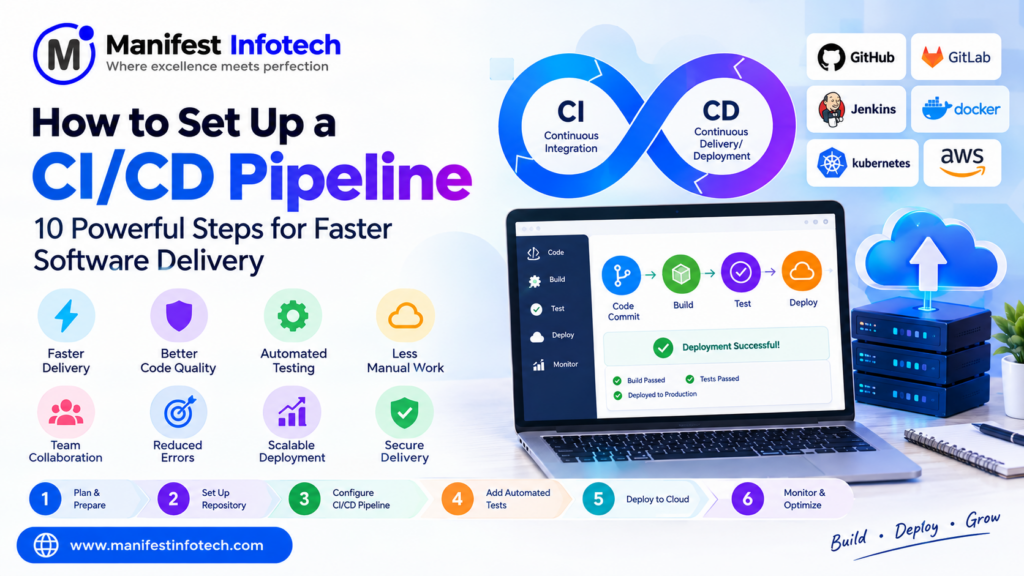
How to Set Up a CI/CD Pipeline: 10 Powerful Steps for Faster Software Delivery
Software development is no longer just about writing code and releasing applications. Modern businesses need to deliver software updates quickly, maintain application quality, reduce deployment errors, and respond to customer requirements efficiently.
Traditional software deployment processes often involve manual testing, code reviews, server configuration, and repetitive deployment activities. These tasks can slow down development teams and increase the possibility of human errors.
This is where CI/CD Pipeline Setup becomes important.
Continuous Integration (CI) and Continuous Delivery or Continuous Deployment (CD) help development teams automate software building, testing, and release processes. By implementing a CI/CD pipeline, businesses can improve development efficiency, maintain code quality, and deliver application updates more consistently.
Whether you are developing a React application, a Node.js backend, a Python application, or an enterprise software solution, a properly configured CI/CD pipeline can simplify your software delivery process.
But how do you set up a CI/CD pipeline? Which tools should you use? How does automated testing work? What is the difference between Continuous Delivery and Continuous Deployment?
In this complete guide, we will explain how to set up a CI/CD pipeline step by step, covering essential stages, popular tools, GitHub Actions implementation, Docker integration, automated testing, deployment strategies, security, costs, and best practices.
What Is a CI/CD Pipeline?
A CI/CD pipeline is an automated workflow that helps developers integrate code changes, run automated tests, build software, and deliver application updates to different environments.
CI/CD stands for:
- CI – Continuous Integration
- CD – Continuous Delivery or Continuous Deployment
A CI/CD pipeline connects different stages of the software development lifecycle through automation.
For example, when a developer pushes code to a GitHub repository, the pipeline can automatically:
- Detect the new code changes.
- Install project dependencies.
- Run code quality checks.
- Execute automated tests.
- Build the application.
- Package the application.
- Deploy it to a testing or staging environment.
- Release it to production according to the configured approval process.
This reduces repetitive manual work and makes software delivery more reliable.
What Is Continuous Integration (CI)?
Continuous Integration is a software development practice in which developers regularly integrate their code changes into a shared repository.
Whenever code is pushed or a pull request is created, automated workflows can run to validate the changes.
Common CI activities include:
- Installing dependencies.
- Compiling or building the application.
- Running unit tests.
- Performing integration tests.
- Checking code quality.
- Running security scans.
- Generating test reports.
The main objective of Continuous Integration is to identify issues early before they become more difficult and expensive to fix.
What Is Continuous Delivery (CD)?
Continuous Delivery is the practice of keeping application code in a deployable state through automated build, testing, and release preparation processes.
After successful pipeline execution, the application can be deployed to a staging or production environment.
In Continuous Delivery, production deployment generally requires an approval or manual release decision.
This gives businesses control over when new application versions are released.
What Is Continuous Deployment?
Continuous Deployment takes automation one step further.
Whenever code changes pass all required automated checks, the pipeline automatically releases those changes to production without requiring a separate manual deployment approval.
This approach requires reliable automated testing, monitoring, rollback procedures, and appropriate release controls.
Difference Between CI, Continuous Delivery, and Continuous Deployment
| Process | Main Purpose | Production Release |
|---|---|---|
| Continuous Integration | Integrate and validate code changes | Not necessarily |
| Continuous Delivery | Keep software ready for release | Usually requires approval |
| Continuous Deployment | Automatically release validated changes | Automatic |
All three practices help organizations improve software delivery, but they provide different levels of automation.
Why Is CI/CD Important for Modern Software Development?
CI/CD has become an important part of DevOps because it connects development, testing, and deployment activities into a repeatable workflow.
Here are some major benefits.
1. Faster Software Delivery
Manual deployment processes can take considerable time.
CI/CD automates repetitive tasks such as testing, building, and deployment, allowing teams to release updates more efficiently.
2. Reduced Human Errors
Manual deployments can involve incorrect configuration, missed steps, and inconsistent environments.
Automated workflows follow predefined instructions, reducing the risk of repetitive human errors.
3. Improved Code Quality
Automated tests and code quality checks can identify issues before application changes reach production.
This helps developers maintain more reliable software.
4. Early Bug Detection
When code changes are integrated regularly, issues can be identified closer to the time they were introduced.
This makes debugging and fixing problems easier.
5. Better Team Collaboration
CI/CD supports collaboration between developers, testers, and operations teams.
Everyone can work with a consistent process for validating and releasing software.
6. Consistent Deployment Process
A standardized pipeline ensures that application builds and deployments follow predefined steps.
This improves consistency across development, testing, staging, and production environments.
7. Faster Recovery and Rollbacks
A well-designed deployment pipeline can support previous application versions and automated rollback procedures.
This helps teams recover more quickly when a release causes unexpected problems.
10 Powerful Steps to Set Up a CI/CD Pipeline
Setting up a CI/CD pipeline requires selecting the right tools, preparing the application, configuring automation, and testing the complete workflow.
Here are 10 important steps.
Step 1: Understand Your Application and Development Workflow
Before selecting CI/CD tools, understand your existing software development process.
Identify:
- Programming languages.
- Frontend and backend frameworks.
- Database technologies.
- Source code repositories.
- Testing requirements.
- Deployment environments.
- Application hosting infrastructure.
- Team collaboration process.
For example, a MERN stack application may contain:
- React.js for the frontend.
- Node.js and Express.js for the backend.
- MongoDB for the database.
- GitHub for source code management.
- Docker for containerization.
- AWS for cloud hosting.
Your CI/CD pipeline should support the technologies used by your application.
Step 2: Choose the Right CI/CD Tool
Several tools are available for building and managing CI/CD pipelines.
The right choice depends on your development environment, budget, infrastructure, and automation requirements.
Popular CI/CD tools include:
GitHub Actions: Automates software workflows directly within GitHub repositories. It is suitable for building, testing, and deploying many types of applications.
Jenkins: An open-source automation server that supports highly customizable CI/CD workflows through plugins.
GitLab CI/CD: Provides integrated automation for building, testing, and deploying applications stored in GitLab repositories.
CircleCI: A CI/CD platform designed to automate software development and delivery workflows.
Azure Pipelines: Supports automated building, testing, and deployment across different programming languages and environments.
AWS CodePipeline: Provides managed continuous delivery workflows that integrate with AWS development and deployment services.
CI/CD Tools Comparison
| Tool | Main Advantage | Suitable For |
|---|---|---|
| GitHub Actions | GitHub integration | Small and large development teams |
| Jenkins | Customization and plugins | Complex automation workflows |
| GitLab CI/CD | Integrated DevOps platform | GitLab-based projects |
| CircleCI | Automated build and testing | Software development teams |
| Azure Pipelines | Microsoft ecosystem integration | Enterprise applications |
| AWS CodePipeline | AWS service integration | AWS-hosted applications |
For beginners and teams already using GitHub, GitHub Actions is often a convenient starting point.
Step 3: Set Up Version Control Using Git
Version control is the foundation of a CI/CD pipeline.
Git helps developers track code changes, collaborate with team members, and maintain different versions of an application.
Popular Git hosting platforms include:
- GitHub.
- GitLab.
- Bitbucket.
A basic Git workflow looks like this:
# Initialize Git repository
git init

# Add project files
git add .

# Commit changes
git commit -m "Initial project setup"

# Add remote repository
git remote add origin YOUR_REPOSITORY_URL

# Push code to GitHub
git push -u origin main
A good branching strategy helps teams manage code changes.
Common branches include:
- Main: Production-ready code.
- Development: Ongoing development work.
- Feature branches: Individual feature development.
- Release branches: Preparation for planned releases.
Protect important branches with pull request reviews and required automated checks.
Step 4: Configure Automated Build Processes
After setting up version control, configure the pipeline to build your application automatically.
A build process prepares source code and dependencies for testing or deployment.
For example, a React application can use:
# Install dependencies
npm ci

# Run production build
npm run build
A Node.js backend can use:
# Install dependencies
npm ci

# Run automated tests
npm test
For applications using other technologies, configure the appropriate build commands.
The pipeline should fail when required build steps fail so that invalid application versions do not continue to deployment.
Step 5: Implement Automated Testing
Automated testing is one of the most important parts of a CI/CD pipeline.
Without proper testing, deployment automation can release software containing bugs or broken functionality.
Different testing levels can be included in the pipeline.
Unit Testing: Tests individual functions and components.
Integration Testing: Verifies communication between different application modules.
Functional Testing: Checks whether application features work according to requirements.
End-to-End Testing: Simulates user workflows across the application.
Performance Testing: Evaluates application behavior under different workloads.
Security Testing: Identifies potential vulnerabilities in application code and dependencies.
Popular testing tools include:
- Jest.
- Vitest.
- Playwright.
- Cypress.
- Selenium.
- JUnit.
For example, a React and Node.js application may run Jest tests during CI and use Playwright to validate important user journeys.
Step 6: Integrate Docker for Containerization
Docker allows developers to package applications and their dependencies into containers.
Containers help maintain consistent execution environments across development, testing, and production.
Important benefits include:
- Consistent application environments.
- Easier application deployment.
- Dependency isolation.
- Simplified packaging.
- Improved portability.
A basic Dockerfile for a Node.js application:
FROM node:22-alpine

WORKDIR /app

COPY package*.json ./

RUN npm ci --omit=dev

COPY . .

EXPOSE 3000

CMD ["npm", "start"]
Build the Docker image:
docker build -t my-node-app .Run the container:
docker run -p 3000:3000 my-node-appIn a production pipeline, you can build a Docker image, scan it for vulnerabilities, and push it to a container registry before deploying it.
Examples of container registries include:
- Docker Hub.
- Amazon Elastic Container Registry (ECR).
- Azure Container Registry.
- Google Artifact Registry.
Step 7: Configure the Deployment Environment
After the application passes testing and build checks, configure the environment where it will run.
Common deployment environments include:
Development: Used by developers to build and test new features.
Testing: Used by QA teams to validate application functionality.
Staging: Provides a production-like environment for final verification.
Production: The live environment accessed by actual users.
Your deployment environment may use:
- AWS EC2.
- AWS Elastic Beanstalk.
- Amazon ECS.
- Azure App Service.
- Google Cloud Run.
- Virtual private servers.
- Managed application hosting.
Keep environment-specific configuration separate and store sensitive values using secure secrets management.
Step 8: Automate Deployment Using GitHub Actions
GitHub Actions is one of the most convenient ways to implement a CI/CD pipeline for applications hosted on GitHub.
It allows developers to define automated workflows using YAML files.
For example, when a developer pushes code to the main branch, the pipeline can automatically install dependencies, run tests, and build the application.
Create a workflow file:
.github/workflows/ci.ymlExample GitHub Actions workflow for a Node.js application:
name: Node.js CI Pipeline

on:
  push:
    branches: [main]
  pull_request:
    branches: [main]

jobs:
  build-and-test:
    runs-on: ubuntu-latest

    steps:
      - name: Checkout code
        uses: actions/checkout@v4

      - name: Setup Node.js
        uses: actions/setup-node@v4
        with:
          node-version: 22
          cache: npm

      - name: Install dependencies
        run: npm ci

      - name: Run tests
        run: npm test

      - name: Build application
        run: npm run build --if-present
This workflow:
- Detects pushes and pull requests targeting the main branch.
- Checks out the repository.
- Sets up Node.js.
- Installs dependencies.
- Runs automated tests.
- Builds the application when a build script exists.
The workflow is an example CI configuration. To create a complete deployment pipeline, add a deployment job after successful validation and configure the appropriate hosting provider credentials through secure GitHub secrets or an identity federation mechanism.
Step 9: Implement Security and Pipeline Monitoring
Security should be included throughout the CI/CD process.
A pipeline often has access to source code, deployment credentials, container registries, and production infrastructure.
If these resources are not properly protected, attackers may use compromised pipelines to access sensitive systems.
Important security practices include:
- Store credentials in secure secrets management services.
- Never hardcode API keys or passwords.
- Use least-privilege access.
- Protect production branches.
- Review third-party pipeline actions.
- Scan dependencies for known vulnerabilities.
- Scan container images.
- Use HTTPS for application communication.
- Enable audit logging.
- Restrict production deployment permissions.
- Prefer short-lived credentials and OIDC where supported.
Monitoring is equally important.
Track:
- Pipeline execution status.
- Build failures.
- Test failures.
- Deployment failures.
- Application health.
- Server performance.
- Error logs.
- Release success rates.
Tools such as Prometheus, Grafana, and cloud monitoring services can help teams observe application and infrastructure performance.
Step 10: Test, Optimize, and Maintain the CI/CD Pipeline
After configuration, test the entire pipeline using actual code changes.
Verify that:
- Code pushes trigger workflows.
- Pull requests run required checks.
- Failed tests stop the pipeline.
- Successful builds produce the expected artifacts.
- Deployment happens only under the intended conditions.
- Production credentials remain protected.
- Health checks verify deployment success.
- Rollback procedures work correctly.
Continuously improve the pipeline by removing unnecessary steps, optimizing build times, reusing workflow components, and updating dependencies.
A CI/CD pipeline should evolve as your application and development team grow.
Example: How a CI/CD Pipeline Works for a MERN Stack Application
Consider a business developing a MERN stack application using React.js, Node.js, Express.js, and MongoDB.
The development team wants to automate testing and deployment using GitHub Actions and Docker.
A typical workflow looks like this:
- A developer writes new code.
- The developer pushes changes to GitHub.
- GitHub Actions starts the CI workflow.
- Dependencies are installed.
- Backend and frontend tests are executed.
- The React frontend is built.
- The Node.js backend is packaged into a Docker image.
- The image is pushed to a container registry.
- The application is deployed to the cloud environment.
- Health checks verify that the new application version is working.
If any required validation step fails, the pipeline should stop before production deployment.
This automated workflow helps the development team deliver updates more consistently while reducing repetitive manual activities.
Common CI/CD Pipeline Challenges and Their Solutions
Although CI/CD improves software delivery, implementing a reliable pipeline can introduce technical challenges.
1. Pipeline Build Failures
Build failures may happen because of incorrect dependencies, incompatible package versions, or application errors.
Solution: Use dependency lockfiles, consistent runtime versions, build logs, and automated validation.
2. Flaky Automated Tests
Some automated tests may pass occasionally and fail unexpectedly because of timing, environment, or external service issues.
Solution: Identify unstable tests, improve test isolation, use deterministic test data, and avoid unnecessary dependencies on external services.
3. Environment Configuration Problems
Applications may behave differently in development, staging, and production environments.
Solution: Standardize configuration, use environment variables, and maintain consistent deployment environments.
4. Deployment Failures
Incorrect deployment scripts, network problems, or infrastructure issues can interrupt releases.
Solution: Use health checks, deployment verification, controlled release strategies, and rollback procedures.
5. Security Risks
Exposed credentials or excessive pipeline permissions can compromise application infrastructure.
Solution: Use secure secrets management, least-privilege access, dependency scanning, and protected deployment environments.
6. Slow Pipeline Execution
Large test suites and repeated dependency installations can increase pipeline execution time.
Solution: Use caching, parallel jobs, optimized test suites, and reusable build artifacts.
7. Database Migration Issues
Application updates may require database schema changes that can affect existing production data.
Solution: Test migrations in staging, maintain backups, use backward-compatible migration strategies, and plan rollback or forward-fix procedures.
Best Practices for Building an Effective CI/CD Pipeline
To make your pipeline reliable, secure, and efficient, follow these best practices:
- Commit small and frequent code changes.
- Use meaningful Git branch and commit strategies.
- Require automated checks before merging code.
- Run unit and integration tests automatically.
- Use consistent dependency versions.
- Keep development and production environments separate.
- Store secrets securely.
- Scan dependencies and container images.
- Use Docker where it provides practical value.
- Automate deployment verification.
- Implement rollback procedures.
- Monitor pipeline performance and failure rates.
- Document deployment processes.
- Review and update pipeline configurations regularly.
These practices help development teams maintain a reliable software delivery process.
Future Trends in CI/CD and DevOps Automation
CI/CD continues to evolve as organizations adopt more advanced development and infrastructure technologies.
AI-Powered DevOps
AI tools can assist with log analysis, identifying unusual pipeline failures, suggesting code improvements, and supporting incident investigation.
GitOps
GitOps uses Git repositories as a source of truth for application and infrastructure deployment configurations.
It is commonly used with Kubernetes-based environments and tools such as Argo CD and Flux.
Infrastructure as Code
Infrastructure as Code allows teams to create and manage cloud infrastructure through configuration files.
Tools such as Terraform and AWS CloudFormation help automate infrastructure provisioning.
DevSecOps
DevSecOps integrates security checks into the software development and delivery lifecycle.
It includes dependency scanning, secret detection, code analysis, and security validation within CI/CD workflows.
Container-Based Deployment
Docker and container orchestration platforms help teams package, deploy, and manage applications consistently across environments.
Progressive Delivery
Techniques such as canary releases and feature flags allow teams to introduce application changes gradually and monitor their impact before wider release.
Why Choose Manifest Infotech for CI/CD and DevOps Solutions?
Setting up a reliable CI/CD pipeline requires more than installing an automation tool. It involves understanding application architecture, testing requirements, infrastructure, deployment strategies, and security.
Manifest Infotech helps businesses turn software development requirements into practical digital solutions through application development and technology services.
Whether you are a startup looking to automate your first deployment, a development team trying to improve its release process, or an established business modernizing its DevOps infrastructure, a properly designed CI/CD pipeline can improve software delivery.
A custom CI/CD and DevOps solution can include:
- CI/CD pipeline design and implementation.
- GitHub Actions and Jenkins automation.
- GitLab CI/CD configuration.
- Automated software testing.
- Docker-based application deployment.
- AWS, Azure, and Google Cloud deployment.
- Infrastructure automation.
- Application monitoring and logging.
- Deployment security.
- Pipeline optimization and maintenance.
The right CI/CD strategy should match your technology stack, team workflow, infrastructure, and business requirements.
Looking to automate your software development and deployment process?
Connect with Manifest Infotech to discuss your CI/CD requirements and explore the right DevOps automation approach for your business.
Conclusion
Setting up a CI/CD pipeline is an important step toward modernizing software development and delivery.
Continuous Integration helps developers validate code changes early, while Continuous Delivery and Continuous Deployment automate the process of preparing and releasing application updates.
By combining tools such as GitHub Actions, Jenkins, Docker, automated testing frameworks, and cloud platforms, businesses can create a repeatable software delivery process.
The most effective approach is to begin with a simple pipeline, automate essential testing and build activities, introduce secure deployment automation, and improve the workflow as your application grows.
Ready to build a reliable CI/CD pipeline for your business? Contact Manifest Infotech and make your software delivery process faster, more secure, and more efficient.
Frequently Asked Questions (FAQs)
1. What is a CI/CD pipeline?
A CI/CD pipeline is an automated workflow that helps developers integrate code changes, run tests, build applications, and deliver software updates.
2. What is the difference between CI and CD?
Continuous Integration focuses on regularly integrating and validating code changes. Continuous Delivery keeps software ready for release, while Continuous Deployment automatically releases validated changes to production.
3. Which tool is best for setting up a CI/CD pipeline?
GitHub Actions, Jenkins, GitLab CI/CD, CircleCI, Azure Pipelines, and AWS CodePipeline are popular options. The best tool depends on your source code platform, infrastructure, and project requirements.
4. Can I create a CI/CD pipeline using GitHub Actions?
Yes. GitHub Actions allows developers to automate software testing, building, and deployment using YAML-based workflow files stored in a repository.
5. Is Docker required for CI/CD?
No. Docker is not mandatory for every CI/CD pipeline. However, it can simplify application packaging, environment consistency, and container-based deployment.
6. What are the main stages of a CI/CD pipeline?
Common stages include source code management, dependency installation, code validation, automated testing, application building, packaging, deployment, and monitoring.
7. How does CI/CD improve software quality?
CI/CD runs automated validation and tests whenever code changes are introduced. This helps identify bugs, integration problems, and build failures before software reaches production.
8. Can CI/CD be used for React and Node.js applications?
Yes. CI/CD tools can automatically install dependencies, test React and Node.js applications, build frontend assets, package backend services, and deploy them to cloud infrastructure.
9. What is the role of DevOps in CI/CD?
DevOps encourages collaboration between development and operations teams. CI/CD is an important DevOps practice that automates software validation and delivery.
10. How much does it cost to implement a CI/CD pipeline?
A basic pipeline can be configured with minimal tooling costs, especially when using existing source code platforms. Advanced implementations involving self-hosted infrastructure, enterprise tools, security scanning, and complex deployment environments require additional investment.
11. What is the difference between Jenkins and GitHub Actions?
Jenkins is a highly customizable automation server that can be self-hosted and extended through plugins. GitHub Actions provides workflow automation integrated directly with GitHub repositories.
12. Is CI/CD suitable for small businesses and startups?
Yes. Even small development teams can benefit from automated testing, build processes, and deployments. Starting with a simple pipeline can reduce manual work and improve release consistency.