
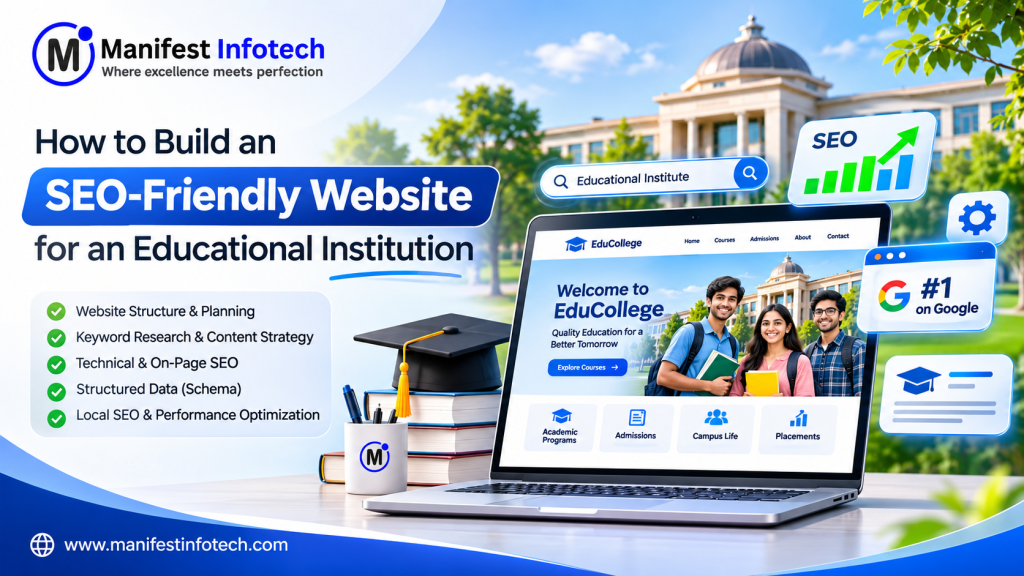
Introduction
An educational institution’s website is more than an online brochure. It is an important digital platform that helps students discover courses, explore academic programs, understand admission procedures, communicate with faculty, and make informed decisions about their education.
However, simply launching a website does not guarantee that prospective students will find it on Google. Institutions need an SEO-friendly website for educational institutions that combines technical performance, high-quality content, intuitive navigation, mobile responsiveness, and a well-planned search engine optimization strategy.
Whether you operate a school, college, university, coaching institute, or online learning platform, your website should make it easy for both visitors and search engines to understand your educational offerings.
In this guide, we will explain how to build an SEO-friendly website for educational institutions, covering website architecture, keyword research, technical SEO, content strategy, structured data, user experience, and ongoing optimization.
1. Why Educational Institutions Need an SEO-Friendly Website
Students and parents frequently use search engines to research educational institutions before making admission decisions.
They search for queries such as:
- Best colleges for computer science.
- Top schools near me.
- MBA admission requirements.
- Engineering courses after 12th.
- Online certification programs.
- University fee structures.
- Scholarship opportunities.
If your website does not appear for relevant searches, potential students may discover competing institutions instead.
An SEO-friendly website for educational institutions helps improve your visibility for relevant search queries and makes important academic information easier to discover.
Key Benefits
1. Increased Organic Visibility
A properly optimized website can become more discoverable for searches related to your institution, courses, programs, and educational services.
2. More Admission Inquiries
Well-structured course pages, admission information, and inquiry forms help convert website visitors into prospective students.
3. Improved Credibility
A professional website with transparent information, faculty profiles, achievements, and student resources can help establish trust.
4. Better Student Experience
Clear navigation and accessible information help students find what they need without unnecessary confusion.
5. Long-Term Marketing Value
Organic search can provide a sustainable source of website traffic without relying entirely on paid advertising.
2. Plan the Right Website Structure
Website architecture is one of the foundations of SEO.
An educational institution may offer multiple programs, departments, academic levels, facilities, and student services. If all this information is placed on a few general pages, both visitors and search engines may struggle to understand the website.
A well-organized SEO-friendly website for educational institutions should have a logical hierarchy.
Recommended Website Structure
- Homepage
- About Us
- Our Institution
- Leadership
- Faculty
- Accreditations
- Academics
- Courses
- Departments
- Programs
- Academic Calendar
- Admissions
- Eligibility
- Application Process
- Fees
- Scholarships
- Campus Life
- Facilities
- Student Activities
- Events
- Placements
- Resources
- Blogs
- News
- Downloads
- FAQs
- Contact
- Locations
- Enquiry Form
- Contact Details
- Directions
Important Pages to Include
| Page | SEO Purpose |
|---|---|
| Homepage | Institution name and primary educational offerings |
| About Us | Institutional identity and credibility |
| Courses | Course-specific search visibility |
| Individual Course Pages | Target specific course-related keywords |
| Admissions | Attract admission-related searches |
| Faculty | Provide academic expertise information |
| Infrastructure | Showcase campus and facilities |
| Placements | Address career-related student searches |
| Blogs | Capture informational search traffic |
| Contact | Help visitors reach the institution |
Create Dedicated Pages for Individual Courses
One common mistake is displaying every course on a single page.
Instead, create individual pages for important programs.
For example:
- /courses/bachelor-of-computer-applications/
- /courses/master-of-business-administration/
- /courses/bachelor-of-commerce/
- /courses/bachelor-of-technology/
Each page should contain original course information, eligibility criteria, duration, curriculum, career opportunities, admission details, and frequently asked questions.
This approach helps search engines understand each program independently.
3. Conduct Keyword Research Before Developing Pages
Keyword research helps identify what prospective students search for and how your website should address those searches.
An SEO-friendly website for educational institutions should target keywords based on the institution’s location, courses, audience, and admission requirements.
Types of Educational Keywords
| Keyword Type | Example |
|---|---|
| Institution-based | Best private college in Indore |
| Course-based | BCA course admission |
| Location-based | Engineering colleges in Madhya Pradesh |
| Admission-based | MBA admission eligibility |
| Informational | Career options after BCA |
| Transactional | Apply for college admission online |
Create a Keyword Mapping Strategy
Do not target every keyword on the homepage. Assign keywords to relevant pages.
| Website Page | Primary Keyword |
|---|---|
| Homepage | Name of educational institution |
| About Us | About the institution |
| BCA Course | BCA course admission |
| MBA Course | MBA course eligibility |
| Admissions | College admission process |
| Blog | Educational information topics |
Recommended Keyword Research Tools
- Google Keyword Planner – Discover keyword ideas and estimated search demand.
- Google Search Console – Understand existing search queries and performance.
- Google Trends – Explore changes in search interest.
- Ahrefs – Analyze keyword opportunities and competitors.
- Semrush – Research search visibility and keyword gaps.
Practical Tip: Focus on relevant keywords rather than simply selecting those with the highest search volume. A keyword with lower volume but strong admission intent may be more valuable to an educational institution.
4. Develop High-Quality Educational Content
Content is one of the most important parts of an SEO-friendly website for educational institutions.
Students need accurate and useful information before selecting an institution. Your website should answer their questions instead of only presenting promotional content.
Essential Content for Educational Websites
Course Descriptions
Explain course objectives, subjects, duration, eligibility, and career opportunities.
Admission Information
Provide application dates, admission requirements, required documents, entrance examination details, and selection procedures.
Faculty Profiles
Introduce faculty members with their academic qualifications, teaching experience, specializations, and research interests.
Campus Information
Publish genuine photographs and detailed information about laboratories, libraries, classrooms, hostels, and other facilities.
Student Achievements
Showcase awards, academic achievements, placement outcomes, research projects, and extracurricular activities using verifiable information.
Create an Educational Blog Section
An educational blog helps institutions target informational searches throughout the student journey.
Suggested blog topics:
- How to Choose the Right College After 12th.
- Best Career Options After BCA.
- Difference Between BBA and MBA.
- How to Prepare for College Entrance Examinations.
- Important Documents Required for College Admission.
- Benefits of Pursuing Higher Education.
- How to Select the Right Engineering Specialization.
- Scholarship Opportunities for College Students.
Each article should provide original information, accurate facts, useful examples, and links to relevant academic pages.
5. Implement Technical SEO from the Beginning
Technical SEO ensures that search engines can access, crawl, understand, and index your website.
A technically sound SEO-friendly website for educational institutions should be built with performance, security, and search accessibility in mind.
Important Technical SEO Requirements
Mobile Responsiveness
Students frequently browse educational websites using smartphones. Ensure that all pages, navigation elements, forms, and tables work properly on mobile devices.
HTTPS Security
Install an SSL certificate and ensure the entire website uses HTTPS.
XML Sitemap
Create an XML sitemap that lists the important pages you want search engines to discover.
Example:
https://www.example.edu/sitemap.xml
Submit the sitemap through Google Search Console.
Robots.txt
Use robots.txt to control crawler access to appropriate sections of the website. Avoid accidentally blocking important course, admission, and academic pages.
Canonical URLs
Use canonical tags to identify preferred versions of pages and help manage duplicate URL variations.
Example:
<link
  rel="canonical"
  href="https://www.example.edu/courses/bca/"
/>
SEO-Friendly URLs
Use descriptive URLs rather than automatically generated numeric or parameter-heavy addresses.
Good:
/courses/bachelor-of-computer-applications/
Avoid:
/page?id=123&category=5
Improve Core Web Vitals
Google uses page experience signals, including Core Web Vitals, as part of its broader ranking systems.
The three main Core Web Vitals are:
| Metric | Good Target | What It Measures |
|---|---|---|
| LCP | 2.5 seconds or less | Loading performance |
| INP | 200 ms or less | Interaction responsiveness |
| CLS | 0.1 or less | Visual stability |
Recommended optimization techniques:
- Compress and resize images.
- Use modern image formats such as WebP and AVIF.
- Enable browser caching.
- Minimize unnecessary JavaScript.
- Use a content delivery network.
- Optimize database queries.
- Avoid excessive third-party scripts.
- Implement lazy loading for below-the-fold images.
Use Google PageSpeed Insights to evaluate actual performance.
6. Optimize On-Page SEO for Every Important Page
On-page SEO helps search engines understand the subject and purpose of individual pages.
Every important page on an SEO-friendly website for educational institutions should have its own optimization strategy.
Essential On-Page SEO Elements
| Element | Recommended Approach |
|---|---|
| SEO Title | Unique and descriptive |
| Meta Description | Explain the page’s value |
| H1 Heading | Clearly describe the main topic |
| H2/H3 Headings | Organize supporting information |
| URL | Short and descriptive |
| Image Alt Text | Describe the actual image |
| Internal Links | Connect relevant pages |
| Content | Original, helpful, and accurate |
Example: Course Page SEO
Suppose an institution offers a Bachelor of Computer Applications program.
SEO Title:
BCA Course: Eligibility, Subjects, Fees and Admission
Meta Description:
Explore the BCA course, including eligibility, subjects, duration, admission requirements and career opportunities.
URL:
example.edu/courses/bca/
H1 Heading:
Bachelor of Computer Applications (BCA)
Avoid Duplicate Content
Do not copy identical descriptions across multiple course pages.
Each program should have unique information that explains its curriculum, requirements, learning outcomes, and career opportunities.
7. Use Structured Data and Schema Markup
Structured data helps search engines interpret information about your institution and website.
For educational websites, relevant schema types may include:
- EducationalOrganization
- CollegeOrUniversity
- School
- Course
- BreadcrumbList
- Article
- Organization
- WebSite
Choose schema based on the actual institution and content. Do not apply every schema type to every page.
Example: Educational Institution Schema
<script type="application/ld+json">
{
  "@context": "https://schema.org",
  "@type": "EducationalOrganization",
  "name": "Example Educational Institution",
  "url": "https://www.example.edu/",
  "description": "An educational institution offering academic and professional learning programs."
}
</script>
Replace the example details with accurate institutional information.
Why Schema Markup Matters
Structured data can help search engines understand:
- Institution name and identity.
- Official website.
- Course information.
- Article authorship.
- Breadcrumb navigation.
- Organizational details.
However, implementing schema does not guarantee rich search results or higher rankings. Google determines eligibility and presentation.
8. Optimize Images and Videos for Search Engines
Educational websites depend heavily on visual content.
Campus photographs, laboratory images, classroom activities, faculty photographs, and student events help visitors understand the institution.
However, large, unoptimized media files can negatively affect website performance.
Image SEO Best Practices
- Use descriptive image filenames.
- Compress images before uploading.
- Prefer WebP or AVIF where supported.
- Add meaningful alt text.
- Specify image dimensions.
- Implement lazy loading for appropriate images.
- Use responsive image delivery.
Example:
Instead of:
IMG_20261113.jpg
Use:
college-computer-science-laboratory.webp
Example alt text:
Students working in a computer science laboratory at the educational institution.
Video Optimization
Educational institutions can also publish:
- Campus introduction videos.
- Faculty interviews.
- Course introduction videos.
- Student testimonials.
- Virtual campus tours.
- Admission guidance videos.
Provide descriptive titles, useful descriptions, and captions. Avoid autoplaying large videos that interfere with the visitor experience.
9. Build a Strong Internal Linking Strategy
Internal links connect related pages within your website.
They help visitors discover relevant information and help search engines understand relationships between pages.
For example, a BCA course page can link to:
- Admissions: Eligibility and application process.
- Faculty: Relevant faculty profiles.
- Career Opportunities: Career guidance articles.
- Related Courses: Relevant academic programs.
Internal Linking Recommendations
- Link course pages to their admission requirements.
- Link blogs to relevant academic programs.
- Link faculty profiles to associated departments.
- Link scholarship articles to scholarship information pages.
- Link contact pages from relevant inquiry sections.
- Use meaningful anchor text.
Avoid excessive internal links or linking unrelated pages simply to increase link counts.
10. Improve Local SEO for Schools and Colleges
For institutions serving students in a particular city, region, or state, local SEO can be particularly important.
Students often search using geographic terms.
Examples:
- Best college in Indore.
- CBSE schools in Bhopal.
- Engineering colleges in Madhya Pradesh.
- Coaching institutes near me.
Local SEO Optimization Checklist
Create and Maintain a Google Business Profile
Provide accurate information, including:
- Official institution name.
- Address.
- Phone number.
- Website.
- Opening hours.
- Relevant categories.
- Genuine photographs.
Maintain Consistent Contact Information
Ensure that the institution’s name, address, and phone number are consistent across its website and relevant business directories.
Create Location-Specific Pages
If the institution operates multiple campuses, create separate pages containing accurate campus information.
Collect Genuine Reviews
Encourage students and parents to share honest feedback without offering incentives for positive reviews.
Add Location Information to Relevant Pages
Include campus addresses, maps, directions, and nearby landmarks where appropriate.
Local SEO should reflect actual locations and services. Avoid creating duplicate city pages with little or no useful information.
11. Choose the Right Technology Stack for Your Educational Website
The technology stack influences performance, scalability, content management, security, and future development costs.
An SEO-friendly website for educational institutions can be developed using several technologies, depending on the institution’s requirements.
Recommended Technologies
Next.js
Suitable for performance-focused websites with server-side rendering, static generation, and flexible SEO metadata management.
WordPress
Useful for institutions that want an accessible CMS for managing pages, blogs, media, and SEO settings.
React.js
Useful for building interactive interfaces, portals, and student-facing application features. For public SEO pages, use an appropriate rendering strategy.
Node.js
Suitable for backend APIs, admissions workflows, integrations, and dynamic website functionality.
PostgreSQL
A reliable relational database option for structured institutional information and application data.
Example Technology Architecture
        Students and Parents
                |
                v
         Next.js Website
                |
                v
          Node.js API
                |
       +--------+--------+
       |                 |
       v                 v
   PostgreSQL         CMS/Admin
       |                 |
       +--------+--------+
                |
                v
       Courses, Blogs,
       Admissions, Pages
This architecture can support a public website alongside an administrative platform for managing institutional content.
CMS Requirements
A suitable content management system should allow authorized staff to:
- Create and update course pages.
- Publish educational blogs.
- Manage departments and faculty.
- Update admission information.
- Upload campus photographs.
- Edit SEO titles and descriptions.
- Manage canonical URLs.
- Create redirects.
- Manage XML sitemap settings.
For institutions with frequently changing academic information, a flexible CMS can significantly simplify website management.
12. Common SEO Mistakes Educational Institutions Should Avoid
Even professionally designed websites can experience poor organic visibility when important SEO fundamentals are ignored.
| Common Mistake | Recommended Solution |
|---|---|
| One page for every course | Create dedicated course pages |
| Slow website | Optimize images, scripts, and hosting |
| Duplicate content | Write original page-specific content |
| Missing metadata | Configure unique SEO titles and descriptions |
| Poor mobile experience | Implement responsive design |
| Broken internal links | Conduct regular link audits |
| Missing sitemap | Generate and submit an XML sitemap |
| No structured data | Implement relevant schema |
| Outdated admission information | Review and update academic content |
| No analytics | Monitor traffic and conversions |
Another important mistake is focusing exclusively on search rankings while ignoring the actual needs of students.
A website should provide trustworthy information, straightforward navigation, accessible content, and a clear path to contacting the institution.
13. Measure and Improve Website SEO Performance
SEO is an ongoing process. Launching a website is only the beginning.
Institutions should regularly monitor performance to understand which pages attract visitors and which searches generate admission inquiries.
Recommended SEO Monitoring Tools
| Tool | Purpose |
|---|---|
| Google Search Console | Search impressions, clicks, indexing |
| Google Analytics 4 | Website traffic and engagement |
| PageSpeed Insights | Performance measurement |
| Rich Results Test | Structured data eligibility testing |
| Screaming Frog SEO Spider | Technical website audits |
| Microsoft Clarity | User interaction analysis |
Important SEO Performance Indicators
- Organic website traffic.
- Search impressions.
- Organic click-through rate.
- Average search position.
- Indexed pages.
- Course page performance.
- Admission inquiry submissions.
- Contact form conversions.
- Mobile performance.
- Technical errors.
Suggested Monthly SEO Workflow
- Review Google Search Console performance.
- Identify pages losing traffic.
- Check indexing and crawling issues.
- Update outdated course and admission information.
- Publish useful educational content.
- Review website speed and mobile usability.
- Analyze admission inquiries from organic traffic.
- Improve pages based on actual search performance.
The objective is not just to increase traffic but to attract relevant prospective students.
14. How Much Does It Cost to Build an SEO-Friendly Educational Website?
The cost depends on the institution’s size, functionality, design requirements, integrations, and content management needs.
A basic institutional website will generally require less development effort than a university website with hundreds of academic pages and complex admission workflows.
Major Cost Factors
| Component | What Affects the Cost |
|---|---|
| UI/UX Design | Number of templates and custom layouts |
| Frontend Development | Pages, responsiveness, interactions |
| Backend Development | APIs and dynamic functionality |
| CMS Development | Content types and admin controls |
| SEO Implementation | Technical, on-page, and structured data |
| Content Creation | Number of pages and articles |
| Integrations | CRM, ERP, LMS, payment gateways |
| Maintenance | Security, updates, and ongoing optimization |
Start with a Scalable Approach
Rather than building every possible feature at once, institutions can launch with essential pages and gradually introduce:
- Online admission applications.
- Student portals.
- Learning management systems.
- Fee payment facilities.
- Faculty dashboards.
- Examination management.
- Advanced reporting.
This approach helps align development investment with actual institutional requirements.
15. How Manifest Infotech Can Help Build an SEO-Friendly Educational Website
Building an educational website requires more than attractive design. It requires a strong understanding of website architecture, content management, search engine optimization, and the institution’s operational requirements.
Manifest Infotech provides web development and software development services to businesses and organizations looking to establish and improve their digital platforms.
We can help educational institutions plan and develop an SEO-friendly website for educational institutions with a focus on usability, performance, scalability, and content management.
Our Relevant Development Services
Custom Educational Website Development
Create professional websites for schools, colleges, universities, and educational organizations.
Next.js Website Development
Develop modern websites using server-side rendering, static generation, and SEO-friendly page architectures.
WordPress Development
Build manageable websites that allow institutional teams to update academic information and publish blogs.
CMS and Admin Panel Development
Develop content management systems for courses, departments, faculty, admissions, and institutional pages.
LMS Development
Build learning management platforms that support digital courses, student progress, and online learning workflows.
Technical SEO Implementation
Implement metadata, structured data, XML sitemaps, canonical URLs, redirects, and performance improvements.
API and Third-Party Integrations
Connect educational websites with CRM systems, admission platforms, payment gateways, and other institutional applications.
Why Choose Manifest Infotech?
- Custom web development solutions.
- Modern frontend and backend technologies.
- Scalable application architecture.
- CMS and administrative dashboard development.
- SEO-conscious development practices.
- Ongoing maintenance and technical support.
If you are planning to launch a new educational website or improve an existing one, Manifest Infotech can help you turn your requirements into a scalable digital platform.
Visit https://manifestinfotech.com/ to explore our development services and discuss your project.
Conclusion
Building an SEO-friendly website for educational institutions requires a combination of thoughtful website architecture, relevant content, technical optimization, responsive design, structured data, and ongoing performance monitoring.
From dedicated course pages and admission information to local SEO and content management, every element should help students discover the institution and access the information they need.
The best educational websites do not simply look professional. They provide useful information, deliver a smooth browsing experience, and make it easy for prospective students to take the next step.
By implementing the strategies covered in this guide, schools, colleges, universities, and educational organizations can build a stronger online presence and create a website that supports their long-term digital growth.
Looking to build a professional educational website? Connect with Manifest Infotech at https://manifestinfotech.com/ to discuss your website development requirements.
Frequently Asked Questions (FAQs)
1. What is an SEO-friendly educational website?
An SEO-friendly educational website is designed to help search engines discover, understand, and index its pages while providing a useful experience for students, parents, and other visitors. It includes optimized content, mobile responsiveness, fast loading speeds, structured data, and clear navigation.
2. Why is SEO important for schools and colleges?
SEO helps educational institutions improve their visibility in search results, reach prospective students, promote academic programs, and generate relevant admission inquiries through organic search traffic.
3. Which pages should an educational website have?
An educational website should generally include Home, About Us, Courses, Departments, Admissions, Faculty, Campus Facilities, Placements, Blogs, and Contact pages. Additional pages can be created according to institutional requirements.
4. How can colleges rank higher on Google?
Colleges can improve their search visibility through relevant keyword research, dedicated course pages, helpful educational content, technical SEO, local SEO, quality backlinks, and regular website improvements. Rankings cannot be guaranteed.
5. Is WordPress good for educational websites?
Yes. WordPress is suitable for many educational websites because it offers flexible content management, customizable themes, SEO plugins, and a large plugin ecosystem. Larger or more complex platforms may benefit from custom development.
6. Is Next.js suitable for SEO-friendly educational websites?
Yes. Next.js supports server-side rendering, static generation, metadata management, and optimized image delivery. These capabilities make it a strong option for content-heavy educational websites.
7. What is the role of schema markup in educational website SEO?
Schema markup helps search engines understand information about an institution, its courses, articles, and website structure. Relevant structured data can improve eligibility for certain search enhancements, but does not guarantee rich results.
8. How often should educational institutions update website content?
Institutions should review admission dates, eligibility requirements, fees, course information, and faculty details whenever changes occur. Blogs and evergreen educational resources should also be reviewed periodically for accuracy and relevance.
9. How long does it take to see SEO results for an educational website?
SEO results depend on competition, website history, technical quality, content, and the effectiveness of optimization. Meaningful improvements may take several months, and no specific ranking timeline can be guaranteed.
10. Can an educational website generate admission inquiries through SEO?
Yes. Optimized course pages, admission guides, location-specific content, clear calls to action, and accessible inquiry forms can help turn relevant organic visitors into prospective student inquiries.