
Introduction
Video streaming integration is an essential part of modern e-learning applications. Schools, universities, coaching institutes, and online learning businesses use video streaming technology to deliver educational content, improve student engagement, and provide flexible learning experiences.
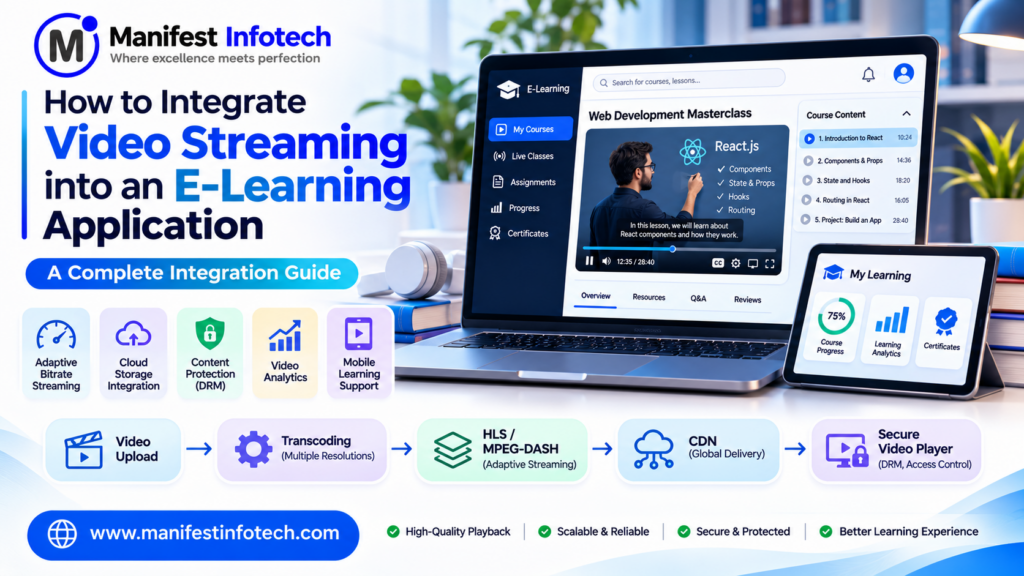
Integrating video streaming into an e-learning application requires the right technologies, including HLS, MPEG-DASH, cloud storage, content delivery networks (CDNs), and secure video players.
In this guide, Manifest Infotech explains how to integrate video streaming into an e-learning application, including essential features, streaming technologies, development steps, security practices, recommended tools, and estimated costs.
What Is Video Streaming in an E-Learning Application?
Video streaming is a technology that allows users to watch video content over the internet without downloading the entire video file before playback.
In an e-learning application, video streaming enables students to access educational content directly through a web browser or mobile application.
For example, when a student opens a programming course, the application retrieves the video stream from a media server or content delivery network (CDN). The video player then loads and plays the content while downloading additional segments in the background.
An e-learning video streaming system can support:
- Pre-recorded video lessons
- Live online classes
- Recorded webinars
- Interactive tutorials
- Video-based assignments
- Course demonstrations
- Educational workshops
- Online training sessions
A properly developed system can also provide subtitles, playback speed controls, video quality selection, progress tracking, and access restrictions.
Why Should You Integrate Video Streaming into an E-Learning Platform?
Video streaming offers several advantages for educational businesses and learners.
1. Improve Student Engagement
Videos make complex concepts easier to understand through demonstrations, animations, presentations, and practical examples.
Students can watch lessons and learn at their own pace.
2. Provide Flexible Learning
Students can access recorded lessons whenever they want instead of depending entirely on fixed classroom schedules.
This is particularly useful for online courses, professional training, and distance education.
3. Support Live and Recorded Classes
A complete e-learning platform can combine live teaching sessions with recorded course materials.
Students who miss a live session can watch the recording later.
4. Improve Learning Accessibility
Video streaming allows students to access educational content from different locations and supported devices.
Features such as subtitles, transcripts, and playback speed controls can further improve accessibility.
5. Track Learning Progress
The application can record video progress, completed lessons, watch history, and course completion status.
Instructors can use these insights to understand student engagement and identify learners who may need additional support.
6. Build Scalable Online Learning Businesses
A reliable streaming infrastructure allows educational businesses to serve more students without depending entirely on physical classrooms.
It also supports subscription-based courses, paid video libraries, and online training programs.
Essential Features of an E-Learning Video Streaming System
Before starting development, identify the features your video streaming system needs.
1. Video Upload and Management
Administrators and instructors should be able to upload and manage educational videos through a dashboard.
Important features include:
- Video upload functionality
- Course-wise video organization
- Video title and description
- Thumbnail management
- Video categories
- Upload progress indicators
- Video replacement and deletion
- Processing status
Large video files should generally be uploaded directly to cloud storage using secure upload mechanisms rather than passing every file through the main application server.
2. Adaptive Bitrate Streaming
Adaptive bitrate streaming automatically adjusts video quality according to the viewer’s internet connection and device capabilities.
For example:
- High-speed internet: 1080p playback
- Medium-speed internet: 720p playback
- Slow internet: 360p playback
This helps reduce buffering and provides a better viewing experience.
Two widely used adaptive streaming technologies are HTTP Live Streaming (HLS) and MPEG-DASH.
3. Video Player Integration
A responsive video player is essential for every e-learning platform.
Important features include:
- Play and pause
- Fullscreen mode
- Playback speed control
- Video quality selection
- Volume control
- Subtitle support
- Video progress bar
- Resume playback
- Picture-in-picture support where available
The player should work consistently across supported browsers, smartphones, tablets, and desktop devices.
4. Live Video Streaming
Live streaming allows instructors to conduct real-time classes, webinars, workshops, and interactive training sessions.
Useful features include:
- Live class scheduling
- Instructor broadcasting
- Student participation
- Live chat
- Question-and-answer sessions
- Session recording
- Attendance tracking
For interactive communication requiring low latency, WebRTC can be considered. For large-scale one-to-many live broadcasts, an HLS or DASH-based delivery workflow may be more appropriate.
5. Video Security and Content Protection
Paid educational videos should not be publicly accessible without authorization.
Useful security features include:
- User authentication
- Role-based access control
- Signed video URLs or cookies
- Time-limited playback access
- Domain restrictions where supported
- Encryption
- Digital Rights Management (DRM), when required
- Secure API endpoints
No protection method can completely prevent screen recording or unauthorized copying, but multiple security controls can reduce content misuse.
6. Video Progress Tracking
Students should be able to continue lessons from where they previously stopped.
Useful capabilities include:
- Last watched position
- Completed lesson status
- Total watch time
- Course completion percentage
- Video watch history
- Resume playback
Progress data should be saved reliably, including when users switch devices.
7. Subtitles and Transcriptions
Subtitles and transcripts improve accessibility and help students understand lessons.
The platform can support:
- Multiple subtitle languages
- Closed captions
- Downloadable transcripts
- Searchable lesson transcripts
- Subtitle synchronization
8. Video Analytics
Analytics help instructors and administrators understand how students interact with educational videos.
Important metrics include:
- Total video views
- Unique viewers
- Average watch duration
- Video completion rate
- Most popular lessons
- Student engagement
- Buffering and playback errors
These insights can help educators improve course content and learning experiences.
Recommended Technologies for Video Streaming Integration
Choosing the right technology stack is important for building a reliable and scalable video streaming platform.
Here is a recommended technology stack for a modern e-learning application.
| Component | Recommended Technologies |
|---|---|
| Frontend | React.js, Next.js |
| Backend | Node.js, Express.js |
| Database | PostgreSQL, MongoDB |
| Video storage | AWS S3, Cloudinary |
| Video processing | FFmpeg, AWS Elemental MediaConvert |
| Streaming protocols | HLS, MPEG-DASH |
| Video player | Video.js, hls.js, Shaka Player |
| CDN | Amazon CloudFront, Cloudflare |
| Live streaming | WebRTC, managed live streaming services |
| Authentication | JWT, secure sessions, OAuth 2.0 |
| Monitoring | Sentry, CloudWatch |
| Deployment | Docker, AWS, Azure, Google Cloud |
The best technology combination depends on the project’s requirements, expected audience, budget, and streaming workload.
Frontend: React.js and Next.js
React.js and Next.js can be used to build interactive e-learning interfaces.
They support reusable components for:
- Course pages
- Video players
- Student dashboards
- Course progress indicators
- Instructor dashboards
- Video playlists
Backend: Node.js and Express.js
Node.js and Express.js can manage application APIs, user authentication, course access, video metadata, and playback authorization.
The backend should verify that a student has permission to access a particular video before issuing a playback URL or token.
Database: PostgreSQL or MongoDB
The database stores application information such as:
- User profiles
- Course details
- Video metadata
- Enrollment records
- Learning progress
- Watch history
- Subscription information
PostgreSQL is suitable for structured relationships between users, courses, lessons, and enrollments. MongoDB may be appropriate when flexible document-based data structures are useful.
Video files themselves should generally be stored in dedicated object storage rather than directly inside the application database.
Understanding HLS and MPEG-DASH Streaming
Two commonly used technologies for adaptive video streaming are HLS and MPEG-DASH.
What Is HLS?
HTTP Live Streaming (HLS) is a streaming protocol that divides video content into smaller segments and provides a playlist describing the available media.
The video player retrieves the playlist and downloads the required segments during playback.
Benefits include:
- Adaptive bitrate streaming
- Support across many modern devices
- HTTP-based content delivery
- CDN compatibility
- Support for live and on-demand video
What Is MPEG-DASH?
MPEG-DASH stands for Dynamic Adaptive Streaming over HTTP.
It provides adaptive streaming by dividing media into segments and describing available streams through a Media Presentation Description (MPD) file.
Benefits include:
- Adaptive video quality
- Flexible media delivery
- Support for live and on-demand streaming
- Compatibility with HTTP-based infrastructure
HLS vs. MPEG-DASH
| Feature | HLS | MPEG-DASH |
|---|---|---|
| Full form | HTTP Live Streaming | Dynamic Adaptive Streaming over HTTP |
| Manifest | M3U8 | MPD |
| Adaptive streaming | Yes | Yes |
| Live streaming | Yes | Yes |
| CDN delivery | Yes | Yes |
| Common use | Web and mobile streaming | Web and multi-platform streaming |
The right choice depends on device compatibility, player support, encoding workflow, and business requirements. Some platforms support both formats to improve playback compatibility.
Step-by-Step Process to Integrate Video Streaming into an E-Learning Application
Now let’s understand the practical development process.
Step 1: Define Video Streaming Requirements
Start by identifying what type of video streaming your e-learning platform needs.
Consider the following questions:
- Will the platform provide recorded lessons, live classes, or both?
- How many students will watch videos simultaneously?
- What video resolutions will be supported?
- Will users access videos through mobile applications?
- Is paid course access required?
- Do you need DRM or other content protection?
- Should students resume videos from their last position?
- Will instructors upload videos themselves?
These requirements help determine the architecture and infrastructure.
Step 2: Design the Video Streaming Architecture
Plan how the application will upload, process, store, and deliver videos.
A typical video-on-demand workflow looks like this:
- An instructor uploads a video.
- The backend authorizes the upload.
- The original video is stored in cloud storage.
- A processing service converts it into multiple resolutions.
- The video is packaged into HLS or MPEG-DASH formats.
- The processed files are stored in a media origin.
- A CDN distributes the video segments.
- The student watches the video through the e-learning player.
A clear architecture helps separate application operations from resource-intensive media processing.
Step 3: Configure Cloud Video Storage
Use cloud object storage to store original videos, processed media segments, thumbnails, and subtitles.
Possible solutions include:
- Amazon S3
- Google Cloud Storage
- Azure Blob Storage
Configure appropriate permissions, encryption, lifecycle policies, and access controls.
Avoid making paid course videos publicly accessible through unrestricted storage URLs.
Step 4: Implement Video Processing and Transcoding
Uploaded videos may have different formats, resolutions, and bitrates.
Video transcoding converts them into playback formats suitable for different devices and internet conditions.
FFmpeg is a popular tool for media processing.
For larger projects, managed media processing services can reduce infrastructure management.
A typical workflow generates several output qualities, such as:
- 360p
- 480p
- 720p
- 1080p
The available resolutions should depend on the source video and the needs of the target audience.
Step 5: Generate HLS or MPEG-DASH Streams
After transcoding, package the video into an adaptive streaming format.
For HLS, the processing workflow generates an M3U8 playlist and media segments.
For MPEG-DASH, it generates an MPD manifest and corresponding media segments.
The video player uses these files to select suitable video quality during playback.
Step 6: Integrate a Video Player into the Frontend
Use a compatible video player to display streaming content inside the course page.
Popular options include:
- Video.js
- hls.js
- Shaka Player
The selected player should support the required streaming formats and target browsers.
A simplified HTML video element can look like this:
<video
  id="course-video"
  controls
  playsinline
  width="100%"
>
  Your browser does not support HTML video.
</video>
For HLS playback, a player library may be required depending on browser support.
Example using hls.js:
import Hls from "hls.js";

const video = document.getElementById("course-video");
const videoUrl = "https://cdn.example.com/course/lesson.m3u8";

if (Hls.isSupported()) {
  const hls = new Hls();

  hls.loadSource(videoUrl);
  hls.attachMedia(video);
} else if (video.canPlayType("application/vnd.apple.mpegurl")) {
  video.src = videoUrl;
}
This is a simplified example. A production implementation should also handle loading errors, playback failures, authorization, cleanup, and supported browser differences.
Step 7: Connect Video Access with User Authentication
The backend should verify whether the logged-in student is enrolled in the course and has permission to watch the lesson.
A typical workflow:
- Student logs in.
- Student opens a course lesson.
- Frontend requests playback authorization.
- Backend verifies enrollment and access permissions.
- Backend generates a short-lived signed playback URL or token.
- The video player loads the authorized stream.
Never rely only on frontend checks to protect paid content.
Step 8: Implement Learning Progress Tracking
Track video playback progress so students can resume lessons.
The frontend can periodically send progress updates to the backend.
Example API:
POST /api/v1/video-progressExample request body:
{
  "courseId": "course_101",
  "lessonId": "lesson_05",
  "currentTime": 420,
  "duration": 1200
}
The backend should validate the user, lesson, and submitted values before saving progress.
Avoid sending a database update every second. Use periodic updates and important playback events such as pause, seeking, and completion.
Step 9: Integrate Video Analytics
Implement analytics to understand how students use the platform.
Track events such as:
- Video started
- Video paused
- Video completed
- Playback quality changed
- Buffering started
- Playback error occurred
Use these events to calculate engagement, completion rates, and playback quality.
Collect only the analytics needed for legitimate product and learning purposes, and explain relevant data collection to users.
Step 10: Test and Deploy the Platform
Before launching, test the complete video streaming workflow.
Important testing activities include:
- Video upload testing
- Video transcoding testing
- Playback testing
- Adaptive bitrate testing
- Mobile responsiveness testing
- Browser compatibility testing
- Authentication and authorization testing
- CDN delivery testing
- Load and performance testing
- Network interruption testing
- Security testing
After testing, deploy the application and configure monitoring, backups, alerts, and infrastructure scaling.
Video Streaming Security Best Practices
Security is essential when your e-learning application offers paid courses, certification programs, or confidential training material.
Follow these practices:
1. Use HTTPS
Encrypt communication between users, the application, and media delivery infrastructure.
2. Implement Signed URLs or Cookies
Use short-lived authorization mechanisms to control access to protected video content.
3. Apply Role-Based Access Control
Ensure that students can only access courses and lessons they are authorized to view.
4. Use DRM When Required
Digital Rights Management solutions can provide additional protection for premium video content through supported technologies such as Widevine, FairPlay, and PlayReady.
5. Secure Video Uploads
Validate file types, file sizes, and upload permissions. Scan uploaded files where appropriate and isolate untrusted media during processing.
6. Protect APIs
Use server-side validation, rate limiting, secure authentication, and proper authorization checks.
7. Monitor Suspicious Activity
Monitor unusual playback requests, repeated authorization failures, and unexpected traffic patterns.
How to Improve Video Streaming Performance
A poor video experience can reduce student engagement and increase course abandonment.
Use these optimization techniques:
- Implement adaptive bitrate streaming.
- Use a CDN to distribute video content.
- Optimize video encoding settings.
- Generate multiple video resolutions.
- Use suitable caching policies.
- Preload only what is necessary.
- Optimize video thumbnails.
- Monitor startup time and buffering.
- Test performance on slower networks.
- Use background processing for media conversion.
A useful performance strategy should measure real playback quality rather than relying only on server response times.
How Much Does It Cost to Integrate Video Streaming into an E-Learning Application?
The cost depends on the streaming features, expected users, video storage, processing requirements, security controls, and infrastructure.
The following figures are illustrative development estimates, not fixed quotations.
| Development Level | Estimated Cost (USD) | Typical Features |
|---|---|---|
| Basic | $2,000–$5,000 | Video player, uploads, basic storage, course integration |
| Intermediate | $5,000–$12,000 | Adaptive streaming, CDN, progress tracking, analytics |
| Advanced | $12,000–$30,000+ | Live streaming, advanced security, DRM, large-scale infrastructure |
Additional ongoing costs may include:
- Cloud storage
- Video transcoding
- CDN bandwidth
- Streaming service charges
- Monitoring and maintenance
- Security and DRM services
Video delivery and bandwidth can become significant recurring expenses as the audience grows. Estimate costs using expected video duration, viewing hours, average bitrate, storage volume, and geographic distribution.
Common Challenges in Video Streaming Integration
Video Buffering
Buffering can occur because of slow internet connections, insufficient delivery capacity, or poorly optimized encoding.
Solution: Implement adaptive bitrate streaming, CDN delivery, and performance monitoring.
High Infrastructure Costs
Storing and delivering large amounts of video content can increase cloud expenses.
Solution: Optimize encoding, apply storage lifecycle policies, and monitor bandwidth consumption.
Unauthorized Video Access
Public video URLs can be shared without permission.
Solution: Use authenticated playback, signed URLs, and DRM when justified.
Browser Compatibility
Different browsers and devices may support different video formats and playback features.
Solution: Test supported devices and use compatible player libraries and fallback options.
Large Video Uploads
Uploading large video files through the main application server can consume significant resources.
Solution: Use secure direct-to-storage uploads, resumable uploads, and asynchronous processing.
How Manifest Infotech Can Help
Integrating video streaming into an e-learning platform requires careful planning, the right technology stack, secure media delivery, and a scalable architecture.
Manifest Infotech helps businesses develop modern software solutions that support digital learning, online education, and business growth.
Whether you are building a new e-learning application, upgrading an existing LMS, or developing a custom online course platform, our team can help you plan and implement the right solution.
Our software development capabilities can support:
- Custom e-learning application development
- LMS development and integration
- React.js and Next.js development
- Node.js backend development
- Cloud infrastructure integration
- Video streaming integration
- API development
- Application maintenance and optimization
Visit https://manifestinfotech.com/ to explore our services and discuss your software development requirements.
Conclusion
Video streaming is an important component of modern e-learning applications. It allows educational businesses to deliver lessons, conduct live classes, improve student engagement, and provide flexible learning experiences.
To build a reliable video streaming system, start with clear requirements and select an appropriate architecture. Implement cloud storage, video transcoding, adaptive streaming, CDN delivery, secure playback, and learning progress tracking.
Most importantly, focus on performance, accessibility, content security, and scalability from the beginning.
With the right technology and development approach, businesses can create an e-learning platform that delivers a smooth and engaging learning experience.
Frequently Asked Questions (FAQs)
1. How do I integrate video streaming into an e-learning application?
Start by selecting a video storage and processing solution, generate HLS or MPEG-DASH streams, integrate a compatible video player, configure CDN delivery, and connect playback access with user authentication.
2. Which video streaming protocol is best for e-learning?
HLS and MPEG-DASH are both widely used adaptive streaming options. The best choice depends on browser compatibility, player support, infrastructure, and project requirements.
3. Can I use React.js for video streaming integration?
Yes. React.js can be used to build course interfaces and integrate video players such as Video.js, hls.js, and Shaka Player.
4. How can I protect paid course videos?
Use authenticated playback, short-lived signed URLs or cookies, role-based access control, and DRM when required. No technical solution can completely prevent unauthorized screen recording.
5. What is adaptive bitrate streaming?
Adaptive bitrate streaming automatically adjusts video quality according to the viewer’s available bandwidth and device capabilities to improve playback.
6. Which cloud platform is suitable for e-learning video streaming?
AWS, Microsoft Azure, and Google Cloud offer storage, media processing, and content delivery services. The right platform depends on budget, expected traffic, and technical requirements.
7. What is the difference between live streaming and video-on-demand?
Live streaming delivers video while an event is happening. Video-on-demand allows users to watch previously recorded content whenever they choose.
8. How much does video streaming integration cost?
The cost varies according to functionality and scale. A basic integration may cost a few thousand dollars, while advanced platforms with live streaming, DRM, and large-scale delivery require a larger investment.
9. How can I reduce video buffering in an e-learning application?
Use adaptive bitrate streaming, CDN delivery, optimized video encoding, appropriate caching, and performance monitoring.
10. Can students resume videos from where they stopped?
Yes. The application can periodically save playback progress to the backend and restore the last watched position when students return to a lesson.
Technical references
The streaming recommendations above are supported by these technical resources:
- MDN – Setting up adaptive streaming media sources — HLS and MPEG-DASH concepts.
- AWS – Video on demand and live streaming with CloudFront — video packaging, storage, and delivery.
- MDN – Media Source Extensions API — browser-based media streaming.
- AWS – Live streaming architecture — live media processing and CDN delivery.
Under Why Should You Integrate Video Streaming?
“Video streaming integration helps e-learning businesses deliver educational content efficiently while improving accessibility, student engagement, and learning flexibility.”
Under Recommended Technologies
“Choosing the right technology stack for video streaming integration ensures smooth playback, secure content delivery, and better application performance.”
Under Development Process
“Successful video streaming integration requires proper planning of video storage, transcoding, adaptive streaming, CDN delivery, and playback authorization.”
Under Conclusion
“With professional video streaming integration, businesses can build scalable e-learning applications that provide students with a reliable and engaging learning experience.”