
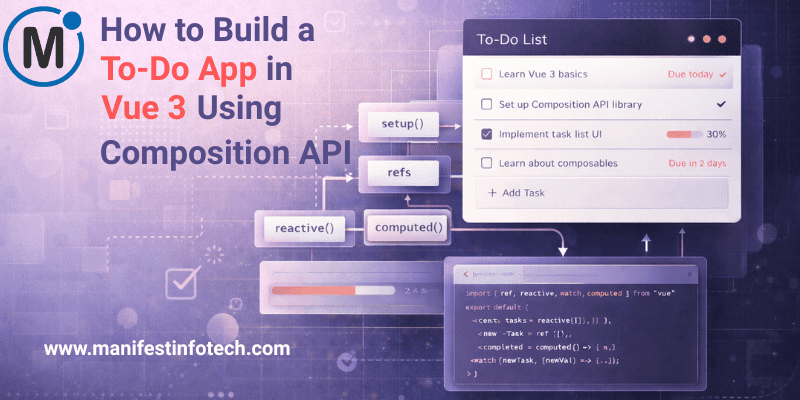
A to-do app may be simple, but it’s one of the best projects to understand how Vue 3’s Composition API works. It teaches reactivity, component structure, state management, and event handling—all the essentials you need to grow into a confident Vue developer. Let’s walk through building a clean and functional to-do app step-by-step.
𝟭. 𝗦𝗲𝘁𝘁𝗶𝗻𝗴 𝗨𝗽 𝘁𝗵𝗲 𝗩𝘂𝗲 𝟯 𝗣𝗿𝗼𝗷𝗲𝗰𝘁
Start by creating a new Vue project with Vite:
npm create vue@latest
cd your-project
npm install
npm run dev
Inside your src directory, you’ll work primarily in App.vue or separate components if you prefer a modular approach.
𝟮. 𝗨𝘀𝗶𝗻𝗴 𝘁𝗵𝗲 𝗖𝗼𝗺𝗽𝗼𝘀𝗶𝘁𝗶𝗼𝗻 𝗔𝗣𝗜 𝗳𝗼𝗿 𝗦𝘁𝗮𝘁𝗲
With the Composition API, we use ref() and reactive() to track reactive data. For a to-do list, we need:
- An input field for new tasks
- A list to store all tasks
- Methods to add, toggle, and delete tasks
import { ref } from \'vue\';

const newTask = ref(\'\');
const tasks = ref([]);
𝟯. 𝗕𝘂𝗶𝗹𝗱𝗶𝗻𝗴 𝘁𝗵𝗲 𝗔𝗱𝗱 𝗧𝗮𝘀𝗸 𝗙𝘂𝗻𝗰𝘁𝗶𝗼𝗻
This function pushes a new task into the array and clears the input:
const addTask = () => {
  if (!newTask.value.trim()) return;

  tasks.value.push({
    id: Date.now(),
    text: newTask.value,
    completed: false
  });

  newTask.value = \'\';
};
𝟰. 𝗧𝗼𝗴𝗴𝗹𝗶𝗻𝗴 & 𝗗𝗲𝗹𝗲𝘁𝗶𝗻𝗴 𝗧𝗮𝘀𝗸𝘀
const toggleTask = (id) => {
  const task = tasks.value.find(t => t.id === id);
  task.completed = !task.completed;
};

const deleteTask = (id) => {
  tasks.value = tasks.value.filter(t => t.id !== id);
};
𝟱. 𝗖𝗿𝗲𝗮𝘁𝗶𝗻𝗴 𝘁𝗵𝗲 𝗧𝗲𝗺𝗽𝗹𝗮𝘁𝗲
Use Vue’s directives to bind the UI:
<input v-model=\"newTask\" @keyup.enter=\"addTask\" placeholder=\"Add a task...\" />

<ul>
  <li v-for=\"task in tasks\" :key=\"task.id\">
    <input type=\"checkbox\" v-model=\"task.completed\" @change=\"toggleTask(task.id)\" />
    <span :class=\"{ \'line-through\': task.completed }\">{{ task.text }}</span>
    <button @click=\"deleteTask(task.id)\">Delete</button>
  </li>
</ul>
Tailwind or simple CSS can be used to style it.
𝟲. 𝗙𝗶𝗻𝗮𝗹 𝗧𝗵𝗼𝘂𝗴𝗵𝘁𝘀
This small project reveals the power of the Composition API—clean logic, reusable functions, and a predictable state flow. Once comfortable, you can extend the app with localStorage, animations, filters, or even move logic to composables.
Building a to-do app in Vue 3 is a perfect foundation for mastering more advanced web applications.
If you are looking for any services related to Website Development, App Development, Digital Marketing and SEO, just email us at nchouksey@manifestinfotech.com
#Vuejs #Vue3 #CompositionAPI #TodoApp #JavaScript #FrontendDevelopment #WebDevelopment #VueTutorial #CodingProjects #VueDevelopers #JSDeveloper #LearnVue #ModernFrontend #VueApps #DeveloperTips #VueEcosystem #BeginnerProjects #CleanCode #WebAppDevelopment #ProgrammingBasics