
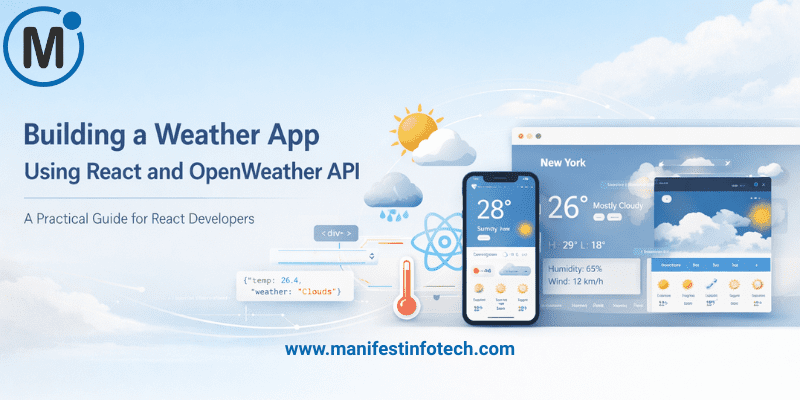
Creating a weather app is one of the best beginner-friendly React projects to sharpen your skills while learning how to work with APIs. In this guide, you\’ll learn how to build a simple yet fully functional weather application using 𝗥𝗲𝗮𝗰𝘁 and the 𝗢𝗽𝗲𝗻𝗪𝗲𝗮𝘁𝗵𝗲𝗿 𝗔𝗣𝗜 in 2025.
𝗪𝗵𝘆 𝗕𝘂𝗶𝗹𝗱 𝗮 𝗪𝗲𝗮𝘁𝗵𝗲𝗿 𝗔𝗽𝗽?
A weather app teaches you several essential development concepts, including:
- Fetching live data from APIs
- Managing component state
- Handling user input
- Working with async functions
- Displaying dynamic UI based on API responses
These skills are vital for real-world React applications.
𝗦𝘁𝗲𝗽 𝟭: 𝗦𝗲𝘁 𝗨𝗽 𝗬𝗼𝘂𝗿 𝗥𝗲𝗮𝗰𝘁 𝗣𝗿𝗼𝗷𝗲𝗰𝘁
Start by creating a new React project:
npx create-react-app weather-app
cd weather-app
npm start
Your project will run at http://localhost:3000.
𝗦𝘁𝗲𝗽 𝟮: 𝗚𝗲𝘁 𝗮𝗻 𝗢𝗽𝗲𝗻𝗪𝗲𝗮𝘁𝗵𝗲𝗿 𝗔𝗣𝗜 𝗞𝗲𝘆
Visit https://openweathermap.org/api, create an account, and generate a free API key.
You’ll use the Current Weather Data endpoint:
https://api.openweathermap.org/data/2.5/weather?q={city}&appid={API_KEY}
𝗦𝘁𝗲𝗽 𝟯: 𝗖𝗿𝗲𝗮𝘁𝗲 𝘁𝗵𝗲 𝗦𝗲𝗮𝗿𝗰𝗵 𝗨𝗜
Add an input field and button to allow users to search for a city:
<input
  type=\"text\"
  placeholder=\"Enter city\"
  value={city}
  onChange={(e) => setCity(e.target.value)}
/>
<button onClick={getWeather}>Search</button>
𝗦𝘁𝗲𝗽 𝟰: 𝗙𝗲𝘁𝗰𝗵 𝗪𝗲𝗮𝘁𝗵𝗲𝗿 𝗗𝗮𝘁𝗮
Use fetch() or axios inside an async function:
const getWeather = async () => {
  const response = await fetch(
    `https://api.openweathermap.org/data/2.5/weather?q=${city}&appid=${API_KEY}&units=metric`
  );
  const data = await response.json();
  setWeather(data);
};
𝗦𝘁𝗲𝗽 𝟱: 𝗗𝗶𝘀𝗽𝗹𝗮𝘆 𝘁𝗵𝗲 𝗪𝗲𝗮𝘁𝗵𝗲𝗿 𝗜𝗻𝗳𝗼𝗿𝗺𝗮𝘁𝗶𝗼𝗻
Render temperature, humidity, wind speed, and weather conditions:
<h2>{weather.name}</h2>
<p>Temperature: {weather.main.temp}°C</p>
<p>Humidity: {weather.main.humidity}%</p>
<p>Condition: {weather.weather[0].description}</p>
𝗙𝗶𝗻𝗮𝗹 𝗧𝗵𝗼𝘂𝗴𝗵𝘁𝘀
With just a few lines of code, you’ve built a fully functioning weather app using React and the OpenWeather API. You can enhance it by:
- Adding icons
- Showing 5-day forecasts
- Detecting user location
- Adding beautiful animations
This project builds a strong foundation for working with APIs and dynamic UIs—skills every modern frontend developer needs.
If you are looking for any services related to Website Development, App Development, Digital Marketing and SEO, just email us at nchouksey@manifestinfotech.com
#ReactJS #React #OpenWeatherAPI #WeatherApp #JavaScript #WebDevelopment #FrontendDevelopment #APIs #Coding #LearnReact #ReactProjects #WeatherAPI #FetchAPI #ModernWebDev #ReactTutorial #DevCommunity #Programming #100DaysOfCode #WebApp #DeveloperLife #ReactTips #React2025 #APIIntegration #OpenWeather #FrontendEngineer #CodeNewbie