
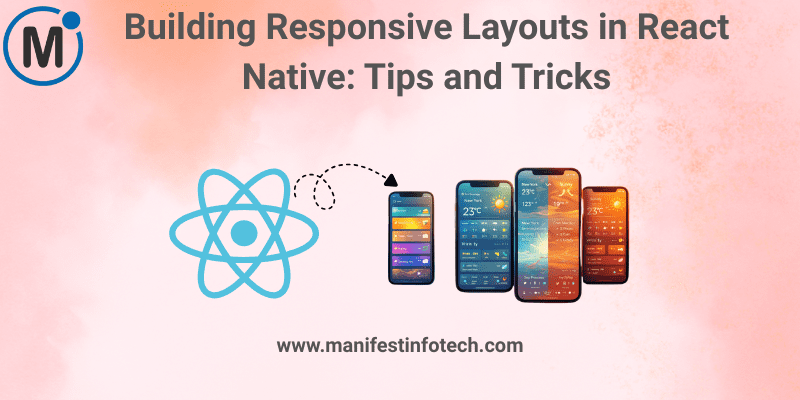
A great mobile app doesn’t just work—it adapts beautifully across devices. With dozens of screen sizes, aspect ratios, and pixel densities in today’s mobile landscape, building responsive layouts in React Native is essential. Whether your users are on small Android phones, large iPhones, or tablets, your UI should feel consistent and intuitive. Here’s how to make that happen without unnecessary complexity.
𝟭. 𝗨𝗻𝗱𝗲𝗿𝘀𝘁𝗮𝗻𝗱 𝗙𝗹𝗲𝘅𝗯𝗼𝘅 (𝗬𝗼𝘂𝗿 𝗕𝗲𝘀𝘁 𝗙𝗿𝗶𝗲𝗻𝗱)
React Native uses Flexbox by default for layout. Mastering a few Flexbox rules can solve most responsiveness challenges.
Key properties:
flexDirection: \'row\' | \'column\'justifyContentfor vertical alignmentalignItemsfor horizontal alignmentflex: 1for fluid scaling
Flexbox helps your UI stretch, shrink, and realign naturally on different screen sizes.
𝟮. 𝗨𝘀𝗲 𝗣𝗲𝗿𝗰𝗲𝗻𝘁𝗮𝗴𝗲-𝗕𝗮𝘀𝗲𝗱 𝗪𝗶𝗱𝘁𝗵𝘀
For elements like buttons, cards, and containers, avoid fixed widths.
Example:
{ width: \'90%\' }
Percentage-based sizing allows your layout to scale smoothly across screens.
𝟯. 𝗟𝗲𝘃𝗲𝗿𝗮𝗴𝗲 𝗗𝗶𝗺𝗲𝗻𝘀𝗶𝗼𝗻𝘀 𝗔𝗣𝗜
When you need precise control:
import { Dimensions } from \'react-native\';
const { width, height } = Dimensions.get(\'window\');
Use this for:
- Calculating grid sizes
- Scaling image ratios
- Handling landscape mode
Just remember: Dimensions don\’t update automatically on rotation unless using event listeners.
𝟰. 𝗘𝗺𝗯𝗿𝗮𝗰𝗲 𝗿𝗲𝗮𝗰𝘁-𝗻𝗮𝘁𝗶𝘃𝗲-𝗿𝗲𝘀𝗽𝗼𝗻𝘀𝗶𝘃𝗲-𝘀𝗰𝗿𝗲𝗲𝗻 𝗼𝗿 𝗿𝗲𝗮𝗰𝘁-𝗻𝗮𝘁𝗶𝘃𝗲-𝘀𝗶𝘇𝗲-𝗺𝗮𝘁𝘁𝗲𝗿𝘀
These libraries simplify scaling across screen densities:
import { moderateScale } from \'react-native-size-matters\';
const padding = moderateScale(16);
This eliminates bad spacing on extremely small or large devices.
𝟱. 𝗨𝘀𝗲 𝗦𝗮𝗳𝗲 𝗔𝗿𝗲𝗮 𝗩𝗶𝗲𝘄𝘀 (𝗶𝗣𝗵𝗼𝗻𝗲 𝗡𝗼𝘁𝗰𝗵 𝗣𝗿𝗼𝘁𝗲𝗰𝘁𝗶𝗼𝗻)
For modern iPhones or devices with camera cutouts:
import { SafeAreaView } from \'react-native\';
SafeAreaView prevents UI elements from overlapping notches and navigation bars.
𝟲. 𝗠𝗮𝗸𝗲 𝗙𝗼𝗻𝘁𝘀 𝗥𝗲𝘀𝗽𝗼𝗻𝘀𝗶𝘃𝗲
Hard-coded fonts break layouts. Use scalable units:
react-native-responsive-fontsize- Percentage-based sizes
moderateScalefor balanced scaling
This keeps text readable everywhere.
𝟳. 𝗧𝗲𝘀𝘁 𝗔𝗰𝗿𝗼𝘀𝘀 𝗠𝘂𝗹𝘁𝗶𝗽𝗹𝗲 𝗗𝗲𝘃𝗶𝗰𝗲𝘀
The fastest way to catch layout issues is testing on:
- Small Android devices
- Large tablets
- iPhones with different ratios
Tools like Expo, Browser-based simulators, and Device Preview help you visualize layouts faster.
𝟴. 𝗨𝘀𝗲 𝗖𝗼𝗻𝗱𝗶𝘁𝗶𝗼𝗻𝗮𝗹 𝗥𝗲𝗻𝗱𝗲𝗿𝗶𝗻𝗴 𝗳𝗼𝗿 𝗧𝗮𝗯𝗹𝗲𝘁 𝘃𝘀. 𝗣𝗵𝗼𝗻𝗲
Sometimes tablets need a slightly different layout.
const isTablet = width > 768;
Then adjust grid layouts, spacing, or container width accordingly.
𝗙𝗶𝗻𝗮𝗹 𝗧𝗵𝗼𝘂𝗴𝗵𝘁𝘀
Responsive design in React Native is less about complexity and more about smart, flexible decisions. Use Flexbox well, avoid fixed sizes, scale responsibly, and test often. With the right approach, your app will feel natural on every device—giving users a consistent, polished experience no matter where they are.
If you are looking for any services related to Website Development, App Development, Digital Marketing and SEO, just email us at nchouksey@manifestinfotech.com
#ReactNative #ResponsiveDesign #MobileDevelopment #JavaScript #ReactNativeUI #ResponsiveLayouts #CrossPlatformDevelopment #UIUXDesign #MobileApps #FrontendDevelopment #ReactNativeTips #Flexbox #AppDesign #JSDeveloper #TechDevelopment #ModernApps #DeveloperTips #MobileAppDesign #RNLayouts #CodingBestPractices